
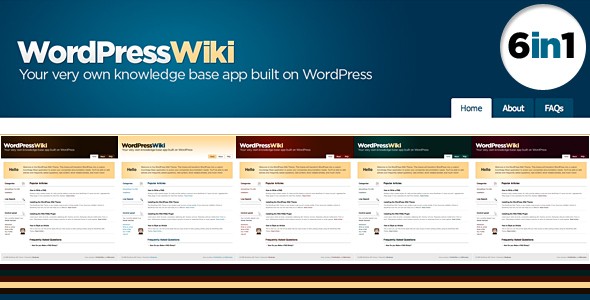
If you’re looking for a Knowledge Base or Wiki for your company but don’t want or need a full blown Wiki Application. This is the theme for you. Built with a custom Frequently Asked Questions plugin to help extend the functionality of your web site. The plugin acts as a custom write panel that displays in essence short FAQs below posts in their respective categories. The FAQs are searchable and paginate and are not required.
Template features:
- 6 Color Variations to Choose from
- jQuery Live Search & Regular Search
- WordPress 2.7 Compatible Theme
- Custom Wiki FAQs Plugin
- Sliding Sidebar Navigation & FAQs Content
- AJAX like on page Login & Log Out
- Quick Links to Add Post & FAQs
- AJAX Star Rating
- Tons of Page & Post Styles Including Info Boxes
- Simple Related Articles in Sidebar
- Bread Crumb Navigation
- RSS Updates for Each Category
- Costs only $30 to buy.

Not only do I love this new theme but I love the look of this site too – its lovely!
I just wanted to add that this coupled with the WordPress Wiki Plugin would make a very nice option for the new would be wiki site powered by WordPress.