Quick answer: yes—most Comcast Business/Xfinity Business gateways include WPS (Wi-Fi Protected Setup). The button can be on the back, side, or front, and some models expose WPS only in the web admin or device app. Below is a clean, fast way to find and use it (plus safer alternatives if you prefer not to use WPS).
Where Is the WPS Button on a Comcast Business Router?
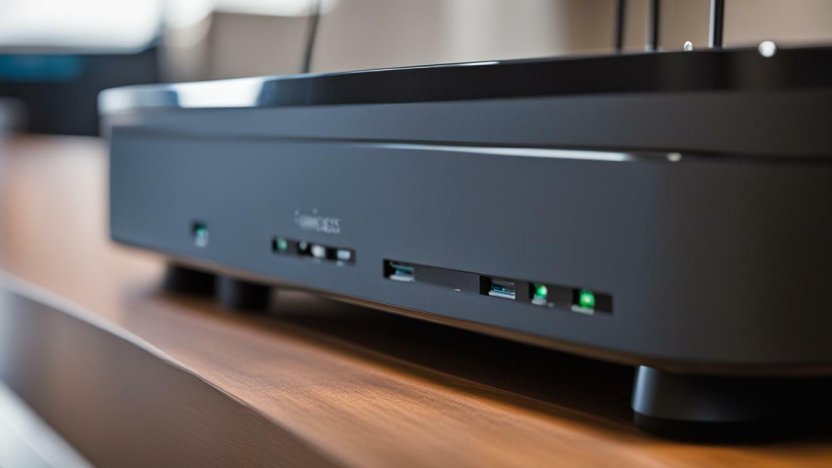
Different hardware revisions place it in different spots. Use this quick locator table first, then follow the step-by-step below.
| Router/Gateway type | Typical WPS location | What to look for |
|---|---|---|
| Business gateway with visible buttons | Back or side panel, near Ethernet or power | “WPS” label or the WPS icon (two curved arrows/lock) |
| Compact desktop unit | Front edge or top lip | Small tactile button, sometimes recessed (use a paperclip) |
| Wall/ceiling AP or newer revision | No physical button | WPS exposed only in the web admin/app (virtual WPS) |
“The WPS button is like Waldo—sometimes hard to find, but always there somewhere,” joked a Comcast representative.
Fast Step-by-Step: Physical WPS Button
- Inspect the chassis. Scan the back and sides for a small button labeled WPS or marked with the WPS icon (two circular arrows or a padlock with waves).
- Press and hold 3–5 seconds. Release when the Wi-Fi/WPS LED starts blinking—this opens a ~2-minute pairing window.
- On your device, start WPS. In Wi-Fi settings choose Connect via WPS (sometimes called “WPS Push Button”).
- Wait for solid light/connected status. If it times out, repeat the press-and-hold and try again within 120 seconds.
No Button? Use Virtual WPS
Some business gateways hide WPS behind software controls.
- Open the admin page/app. Use your router’s web admin or the business app provided by your installer.
- Find Wireless > WPS. Look for a Start WPS or Push Button option.
- Start WPS, then connect from your device’s Wi-Fi settings within ~2 minutes.
Pro Tip: If you’re still hunting, the product label on the underside often shows button maps and LED legends—worth a 10-second check.
Troubleshooting WPS on Comcast Business Routers
| Symptom | What to try |
|---|---|
| No labeled WPS button | Look for the icon; some buttons are recessed. If none, use Virtual WPS in the admin/app. |
| LED never blinks after press | Hold longer (3–5s). Reboot the gateway, then retry within 2 minutes of boot. |
| Device won’t join via WPS | Confirm your device supports WPS. If it does, retry during the active blink window; move closer to the router. |
| WPS option missing in software | Your firmware may disable WPS. Connect by entering the SSID and WPA2/WPA3 password manually instead. |
Security Note (Read This)
WPS is convenient, but many admins prefer manual Wi-Fi joins with WPA2/WPA3 passphrases or QR codes for guests. If you use WPS, disable it after pairing, keep firmware updated, and use strong SSIDs/passwords—especially on business networks.
Quick Recap
- The WPS button is usually on the back or side; look for “WPS” or the icon. Some models use a virtual WPS in the admin/app.
- Press/hold 3–5s until the WPS/Wi-Fi LED blinks, then start WPS on your device within ~2 minutes.
- When in doubt, check the underside label or your model’s user guide for a diagram.
“If all else fails, don’t hesitate to reach out to Comcast Business customer support. They’ll be happy to assist you in locating the WPS button and connecting to your network.”
Bonus: Even Faster, No WPS
Skip WPS entirely by joining with your network name (SSID) and password, or print a Wi-Fi QR code for staff and guests. It’s simple, secure, and universal across devices.