
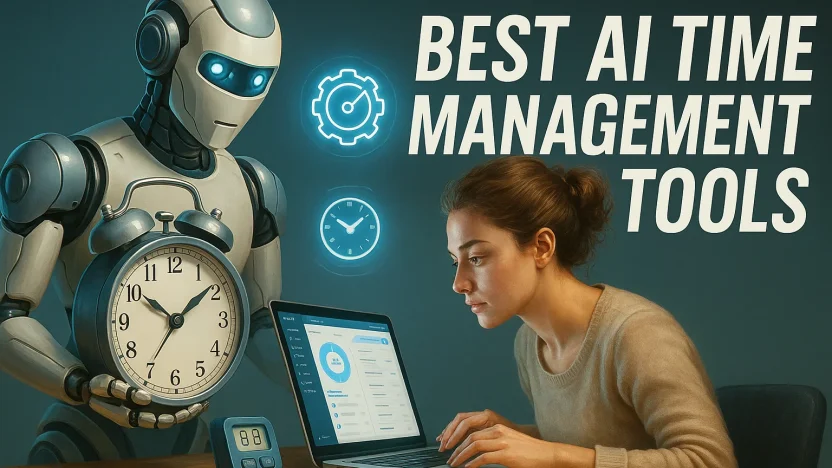
You don’t need another timer—you need a system that plans for you, protects your focus, and adapts in real time when the day goes off-script. These ten AI-powered tools do exactly that. I’ve focused on products that actually use automation or machine intelligence to schedule, prioritize, or coach—not just pretty calendars.
Each tool name below links to its official site.
AI Time Management Tools Comparison Table
| Tool | Primary Pricing (Individual/Annual) | Core AI Function/Features | Best For/Key Aspect |
| Motion | $19/month (Billed Annually) | Automatic task-to-calendar scheduling, real-time re-planning, meeting coordination, “make room” logic. | Founders, ICs, consultants juggling high volume; those who can trust the system to own the schedule. |
| Reclaim.ai | $8/user/month (Billed Annually, Starter Plan) | Habit-based scheduling (deep work, routines), auto-prioritized tasks, “de-conflict” engine, Google Calendar intelligence for teams. | Teams and busy professionals who need guardrails for routines without manual babysitting. |
| Clockwise | $6.75/user/month (Billed Annually, Teams Plan) | Team-level calendar optimization, automatic meeting moves, aggregation of meeting data to create long Focus Time blocks. | Engineering, product, and cross-functional teams living in Google Calendar suffering from fragmented days. |
| SkedPal | $9.95/month (Billed Annually, Core Plan) | Sophisticated constraint-based scheduling, “time maps” for context-aware work placement, automatic resequencing. | Advanced planners who love the idea of rules-driven, context-aware scheduling. |
| TimeHero | $4.60/user/month (Billed Annually, Basic Plan) | Proactive project scheduling, placing tasks well before due, auto-rescheduling missed work, risk alerts. | Agencies and teams managing multi-step deliverables with due dates that can’t move. |
| Trevor | Free (Usage-based paid plans) | Lightweight AI planning, smart “send to calendar” flow, balances duration/urgency/availability for realistic time-blocking. | Individuals who love time-blocking but don’t want a heavyweight system; great with Todoist integration. |
| Sunsama | $16/user/month (Billed Annually) | Guided daily planning rituals, realistic workload coaching, AI to migrate tasks, align work with weekly goals. | Knowledge workers who want sustainable throughput (mindful productivity) rather than perpetual sprinting. |
| Akiflow | $14.99/month (Billed Annually, Pro Yearly) | Unified task inbox (from dozens of apps), rapid time-blocking with AI suggestions, powerful keyboard workflows. | Busy pros drowning in notifications who need a single, fast command center for tasks/planning. |
| Rize | $9.99/month (Billed Annually, Standard Plan) | AI time-tracking coach, passive measurement of time/focus, spots context switching, trains better habits. | Makers and managers who want to keep score on focus, not just hours (AI coaching and behavior change). |
| RescueTime | $6.50/month (Billed Annually, Premium Plan) | Always-on analytics, AI-generated “productivity pulse,” distraction blocking via Focus Sessions, app/site usage monitoring. | Anyone who needs visibility and guardrails to protect deep work (classic tracker-coach). |
1. Motion
If you want your calendar to behave like a full-time personal assistant, Motion is the powerhouse. Add tasks with rough estimates and deadlines; Motion automatically sequences them into your calendar, reshuffling when meetings move or you run late. It can draft meeting times for everyone, respect time zones, and defend your focus blocks by nudging invitees to alternative slots.
Where it shines: Automatic task-to-calendar scheduling, real-time re-planning, meeting coordination, and “make room” logic when emergencies land.
Best for: Founders, ICs, consultants, anyone juggling a high volume of tasks and meetings.
Good to know: You’ll get the most value if you actually trust it to own your schedule—manual micromanaging defeats the magic.
2. Reclaim.ai
Reclaim treats your priorities as living, breathing habits. You tell it how often you want to do deep work, 1:1s, exercise, or weekly planning. It then places smart, flexible events in your calendar and automatically rescues the time when conflicts appear.

Where it shines: Habit-based scheduling, auto-prioritized tasks, Slack status syncing, Google Calendar intelligence for teams.
Best for: Teams and busy professionals who want guardrails for their most important routines without babysitting a scheduler.
Good to know: Its “de-conflict” engine is excellent at protecting your focus while staying polite to coworkers’ calendars.
3. Clockwise
Clockwise optimizes calendars at the team level, aggregating meeting data to create long, uninterrupted Focus Time blocks for everyone. It negotiates meeting moves automatically (with rules you set) and gives managers a bird’s-eye view of organizational focus health.
Where it shines: Team-wide calendar optimization, automatic meeting moves, Focus Time analytics, and Slack/Asana integrations.
Best for: Engineering, product, and cross-functional teams living in Google Calendar who suffer from fragmented days.
Good to know: It’s most effective when multiple teammates adopt it—the network effects are real.
4. SkedPal
SkedPal pioneered “time maps”—smart windows that tell the AI when certain kinds of work fit best. Tag tasks, set constraints, and let SkedPal weave them into your week, constantly re-balancing as life changes.
Where it shines: Sophisticated constraint-based scheduling, time-map planning, automatic resequencing under shifting priorities.
Best for: Advanced planners who love the idea of rules-driven, context-aware scheduling.
Good to know: Invest a bit in setup (time maps, task metadata) and it pays you back every day.
5. TimeHero
TimeHero looks at your work pipeline, deadlines, and availability, then proactively places tasks on your calendar—well before they’re due. Projects stay on track because the tool auto-reschedules anything you miss and warns you early if a timeline is slipping.
Where it shines: Proactive project scheduling, risk alerts, and automatic replanning when you run out of time.
Best for: Agencies and teams managing multi-step deliverables with due dates that can’t move.
Good to know: It’s especially strong when you connect it to task sources (email, PM tools) so work auto-enters the plan.
6. Trevor
Trevor makes time-blocking effortless with a smart “send to calendar” flow. Drop in tasks from your favorite to-do apps and give them time. Trevor balances duration, urgency, and your real availability to help you commit to realistic plans.
Where it shines: Lightweight AI planning that turns task lists into a doable day plan, fast.
Best for: Individuals who love time-blocking but don’t want a heavyweight system.
Good to know: It integrates nicely with Todoist and other popular task apps for a smooth capture-to-calendar pipeline.
7. Sunsama
Sunsama is the calm, guided daily planner that nudges you to estimate time, set intentions, and commit to just enough. Its AI helps migrate tasks, right-size your day, and align work with weekly goals. Think of it as mindful productivity with automation under the hood.
Where it shines: Gentle planning rituals, daily timeboxing, realistic workload coaching, and cross-app task intake (Jira, Asana, email).
Best for: Knowledge workers who want sustainable throughput rather than perpetual sprinting.
Good to know: The daily review loop is the magic—show up for it and your stress drops.
8. Akiflow
Akiflow consolidates tasks from dozens of apps into one command center, then helps you schedule them intelligently. Quick commands, powerful keyboard workflows, and smart suggestions make it blazing fast for planning and re-planning.
Where it shines: Unified inbox for tasks, rapid time-blocking, AI suggestions for when to do what, and frictionless rescheduling.
Best for: Busy pros drowning in notifications across Slack, email, and PM tools who need a single source of truth.
Good to know: The less you context-switch between tools, the more time Akiflow saves.
9. Rize
Rize is an AI time-tracking coach that passively measures how you spend your day and then trains better habits. It spots context switching, recommends ideal focus session lengths, and shows you patterns like late-day email spirals.
Where it shines: Automatic time tracking, personalized habit insights, focus coaching, and trend reports.
Best for: Makers and managers who want to keep score on focus, not just hours.
Good to know: Pair it with any smart scheduler above to both plan and learn from your work.
10. RescueTime
A classic for a reason. RescueTime monitors app and site usage, surfaces deep work vs. distraction metrics, and can trigger Focus Sessions that block common time-wasters. Its AI-generated “productivity pulse” gives you an honest scoreboard.
Where it shines: Always-on analytics, distraction blocking, and weekly feedback on where your time truly went.
Best for: Anyone who needs visibility and guardrails to protect deep work.
Good to know: The insights land hardest when you categorize your key work apps accurately.
How to choose the right AI time manager for your workflow
Start with your biggest pain. If meetings blow up your days, go for a calendar optimizer like Clockwise or Reclaim.ai. If tasks never seem to get done because they live in lists, pick an auto-scheduler like Motion, SkedPal, or TimeHero. If you already plan well but struggle with scope, choose a guided planner like Sunsama or a rapid time-blocker like Akiflow or Trevor. If you don’t actually know where the time goes, install a tracker-coach like Rize or RescueTime for two weeks and learn before you optimize.
A practical stack many people love is one planner + one tracker. For example: Motion to schedule the plan, Rize to teach you how to make that plan realistic. Or Reclaim.ai to defend habits and RescueTime to enforce Focus Sessions.
Quick comparison at a glance
- Fastest “set it and forget it” auto-scheduling: Motion, TimeHero
- Best for team-wide calendar sanity: Clockwise, Reclaim.ai
- Most control for power planners: SkedPal
- Mindful daily planning with AI assist: Sunsama
- Unified task capture + rapid time-blocking: Akiflow, Trevor
- AI coaching and behavior change: Rize, RescueTime
Implementation tips that make these tools actually work
Adopt a single source of truth for tasks. Even if you connect multiple apps, pick one place—Akiflow, Sunsama, or your auto-scheduler—to own the plan. Give tasks durations and deadlines so the AI has constraints to work with. Protect one daily planning ritual (10–15 minutes) where you review what the tool scheduled, make tweaks, and recommit. Treat missed blocks as data, not failure—shorten durations, add buffers, or shift heavy work earlier. Finally, combine scheduling with metrics: pair an auto-planner with Rize or RescueTime and you’ll close the loop between intention and reality.
Bottom line
AI time management isn’t about squeezing more meetings into your calendar. It’s about automating the logistics so you can spend your best hours on the highest-leverage work. Choose the tool that maps to your biggest friction, let it take the wheel, and keep a short daily ritual to steer. The payoff isn’t just more output—it’s a calmer, more intentional day.


[…] source http://www.toptut.com/ai-time-management-tool/ […]