Genealogy isn’t just a hobby—it’s detective work with heart. It’s the late-night thrill of connecting a census line to a face in a faded photo; it’s preserving stories so they don’t vanish. With today’s software, building, researching, and sharing your family tree is faster, more accurate, and a lot more fun. The trick is choosing the right tool for your style of research.
Below you’ll find a deep, 2026-ready guide to the 20 best family tree software programs—from totally free collaborative trees to powerhouse desktop apps. I’ll break down who each tool is best for, what makes it special, and where you might hit limits. We’ll also cover must-know concepts (GEDCOM, citations, DNA, privacy), decision checklists, and smart workflows you can copy.
???? Top 10 Family Tree Software Programs for Genealogy
Here’s a snapshot of the 10 best family tree software programs to help you choose the perfect fit:
| Software | Cost | Features | Link |
|---|---|---|---|
| ???? Family Tree by FamilySearch | Free | Collaborative tree, integrates with FamilySearch records, basic tools for reports and charts | FamilySearch |
| ???? Ancestry Family Tree | Free (Paid features) | Syncs with Ancestry.com, record hints, DNA integration with Ancestry DNA | Ancestry |
| ???? WikiTree | Free | Community-focused, global collaborative tree, basic tools | WikiTree |
| ???? Family Tree Builder (MyHeritage) | Free (Paid features) | Syncs desktop and mobile, robust DNA matching, print charts | MyHeritage |
| ???? RootsMagic 8 | $39.95 | Offline software, syncs with Ancestry/FamilySearch, robust charting tools | RootsMagic |
| ???? Family Tree Maker 2019 | $79.95 | Offline software, Ancestry sync, advanced customization, printing options | Family Tree Maker |
| ???? Legacy Family Tree 9 | Free or $34.95 | Customizable reports, great for beginners and experts alike | Legacy Family Tree |
| ???? Findmypast Family Tree | Free (Paid records) | UK-focused records, easy online interface | Findmypast |
| ???? Gramps | Free | Open-source, customizable, advanced data tools | Gramps |
| ???? Family Historian 7 | $64.95 | Intuitive interface, web hints, charts, and diagrams | Family Historian |
Quick Comparison of the 20 Best Family Tree Programs
Short on time? Start here. This table gives you the “who it’s for” snapshot, cost model, and standout strengths.
| Software | Cost | Best For | Standout Features |
|---|---|---|---|
| FamilySearch Family Tree | Free | Beginners; global collaboration | Massive free records, hints, unified global tree |
| Ancestry Family Tree | Free tree (records & DNA paid) | Record-first researchers | Smart hints, giant record set, topo DNA matching |
| MyHeritage Family Tree Builder | Free desktop; subscription unlocks records/DNA | Sync across desktop/web/mobile | Photo enhancement tools, DNA matches, printable charts |
| RootsMagic | Paid (affordable) | Serious offline research | Excellent citations, Ancestry/FamilySearch integration |
| Family Tree Maker | Paid (premium) | Power users who sync with Ancestry | Color coding, media management, robust publishing |
| Legacy Family Tree | Free; Deluxe paid | Report lovers & methodical sourcing | Deep reports, citation templates, research logs |
| Findmypast Family Tree | Free tree (records paid) | UK/Ireland research | Parish/civil UK sets, newspaper hints |
| Gramps | Free (open-source) | Tech-savvy tinkerers | Plugins, custom schemas, advanced analytics |
| Family Historian | Paid (mid-tier) | Diagram fans & UK researchers | Live diagrams, web hints, flexible GEDCOM |
| Heredis | Paid | Visual storytellers | Dynamic tree views, migration maps, dashboards |
| Reunion (Mac) | Paid | Mac-first genealogists | Refined UI, polished charts/books, mobile companion |
| MacFamilyTree (Mac) | Paid | Apple ecosystem users | 3D trees, CloudTree sync, gorgeous reports |
| GenoPro | Paid | Complex family structures | Genograms, medical traits, detailed diagrams |
| Ahnenblatt (Windows) | Free / low-cost Pro | Windows users on a budget | Clean GEDCOM handling, simple charts |
| Ancestral Quest | Free Basics; paid | RootsMagic/Legacy alternatives | FamilySearch certified, robust sourcing |
| My Family Tree (Chronoplex) | Free | Windows users wanting simplicity | Fast, lightweight, timeline & stats tools |
| Geni | Free (Pro paid) | One-world-tree collaborators | Curators, relationship pathing, MyHeritage DNA linkage |
| Geneanet | Free (Premium optional) | Continental European focus | Community trees, memorials, archival links |
| TNG: The Next Generation | Paid (self-hosted) | Self-hosters & privacy control | Full website control, themes, user permissions |
| Family Echo | Free | Classrooms & casual users | Instant web tree, super easy sharing |
The 20 Best Family Tree Programs (Deep Reviews)
Let’s dig into strengths, weak spots, and best-fit scenarios so you can match a tool to your research goals.
1) FamilySearch Family Tree (Free)
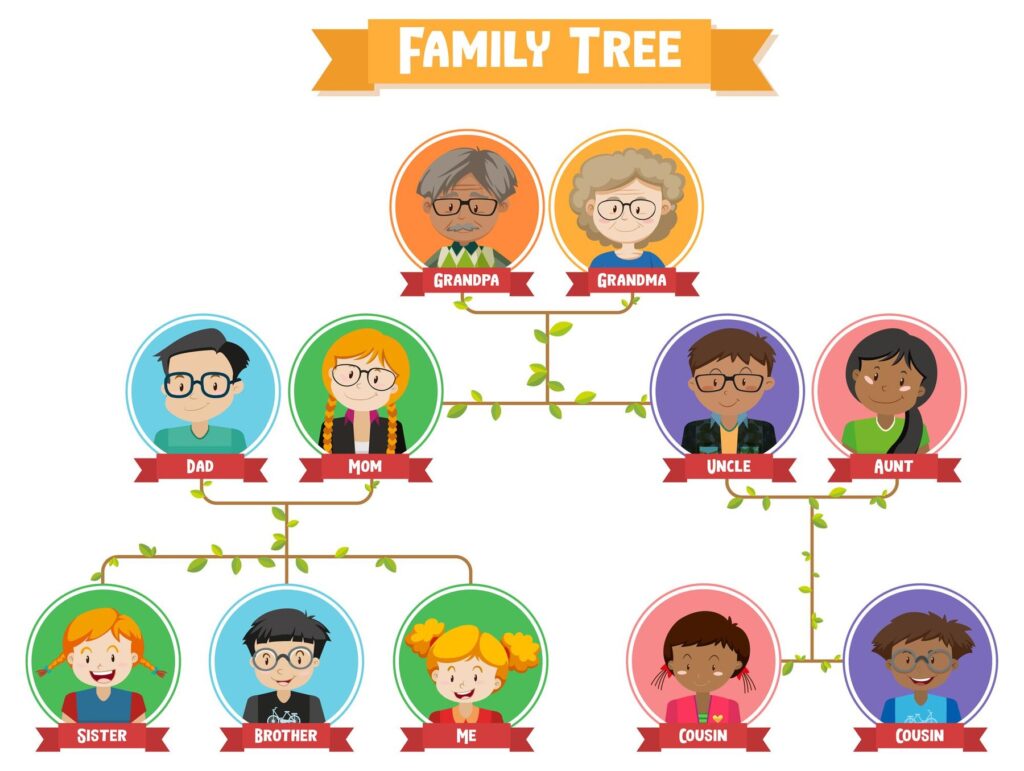
Best for: Beginners, budget-conscious researchers, and anyone who values a single global, collaborative tree. FamilySearch is free, huge, and friendly. You’ll get record hints, source images, and a great place to start testing hypotheses before you commit to a paid workflow.
Why it shines: A unified tree reduces duplicates, encourages collaboration, and surfaces sources you didn’t know existed. The hinting engine across censuses, vital records, and church registers is excellent for 18th–20th century research.
Watch-outs: Because it’s collaborative, other users can edit shared ancestor profiles. You’ll want to attach sources and add notes to defend conclusions. For private working trees, you may prefer a desktop companion (RootsMagic, Legacy, etc.) and sync selectively.
Link: FamilySearch
2) Ancestry Family Tree (Free tree; paid records & DNA)
Best for: Researchers who want record hints from a massive database and plan to integrate DNA. Ancestry’s shaky-leaf hints can save hours, and the mobile app is one of the most polished in the space.
Why it shines: Automated hints, attached source images, photo/story galleries, and excellent collaboration via shared trees. If you use Family Tree Maker, syncing is seamless.
Watch-outs: Most records require a subscription; public trees may propagate unsourced errors—always verify. Export your GEDCOM periodically for backups.
Link: Ancestry
3) MyHeritage Family Tree Builder (Free desktop; paid records/DNA)
Best for: A cross-platform setup—desktop editing, web sync, and a very good mobile app. MyHeritage’s photo tools (colorization, enhancement) are a joy, and DNA matching is strong internationally.
Why it shines: Smart Matches & Record Matches, automatic photo repair and color, and attractive, printable charts. DNA tools include Chromosome Browser and AutoClusters.
Watch-outs: Free tier is generous but capped; you’ll want a subscription for sustained research.
Link: MyHeritage
4) RootsMagic (Paid)
Best for: Offline-first researchers who care about clean citations and want to sync with Ancestry and FamilySearch. It’s rock-solid for big trees and evidence management.
Why it shines: Source templates, research logs, to-do lists, and the ability to compare and transfer data to online trees. Maps, timelines, and narrative reports help you see your research story.
Watch-outs: Interface is utilitarian versus flashy. Mobile companion options are limited, so pair with an online tree if you’re always on-the-go.
Link: RootsMagic
5) Family Tree Maker (Paid, premium)
Best for: Power users and design lovers. FTM is famous for polished charts/books, deep media handling, and frictionless syncing with Ancestry. Color-coding by lines is addictive for cousin research.
Why it shines: TreeVault cloud backup, rich media tagging, place/name cleaning tools, and FamilySync for multi-computer households. If your extended family expects pretty charts at reunions, this is your friend.
Watch-outs: Higher upfront cost; you’ll still likely want an Ancestry subscription to maximize value.
Link: Family Tree Maker
6) Legacy Family Tree (Free; Deluxe paid)
Best for: Researchers who love reports, research planning, and airtight sourcing. The free version is an easy on-ramp; Deluxe unlocks the magic.
Why it shines: Exceptional reporting, advanced citations, research guidance, and excellent training via videos/webinars (Legacy’s ecosystem is a plus).
Watch-outs: The interface isn’t the most modern—value is in the depth, not the gloss.
Link: Legacy Family Tree
7) Findmypast Family Tree (Free tree; paid records)
Best for: Researchers with UK and Irish roots. Parish registers, newspapers, and military records are strong, and hints integrate smoothly into your tree.
Why it shines: A very UK-centric experience with excellent transcriptions and browseable images. If you’re chasing a Lancashire baptism or a Dublin marriage, this is often home base.
Watch-outs: Outside the UK/Ireland focus, coverage can thin out; plan to complement with other sites.
Link: Findmypast
8) Gramps (Free, open-source)
Best for: Tinkerers, data nerds, and Linux users (though it runs on Windows/Mac too). If you want to customize fields, install plugins, and analyze your data in unconventional ways, Gramps is a playground.
Why it shines: Flexible data structures, extensive reports, and active community add-ons. You control everything.
Watch-outs: The learning curve is real, and the interface is pragmatic. Once set up, it’s powerful.
Link: Gramps
9) Family Historian (Paid)
Best for: Visual thinkers who love live diagrams, and UK researchers who want smooth hinting with major sites. Its GEDCOM fidelity is excellent (less data loss when moving files).
Why it shines: Powerful diagramming, customizable queries, and plugin support. Great balance between beginner-friendly and depth.
Watch-outs: DNA tooling isn’t a core strength; combine with a DNA platform for analysis.
Link: Family Historian
10) Heredis (Paid)
Best for: Gorgeous visuals, dashboards, and migration maps that make family history look like an atlas. If you present your research often, Heredis is persuasive.
Why it shines: Interactive tree views, dynamic statistics, photo books, and strong European localization. It’s both analytical and beautiful.
Watch-outs: Intended as a primary desktop program; pair with a web tree for collaboration.
Link: Heredis
11) Reunion (Mac) (Paid)
Best for: Mac devotees who love refined software. Reunion is clean, stable, and produces elegant charts and books your relatives will treasure.
Why it shines: Mac-native design, iPhone/iPad companion, superb publishing options, and painless media handling.
Watch-outs: macOS-only; if you’re cross-platform, consider MacFamilyTree or web trees for sharing.
Link: Reunion
12) MacFamilyTree (Mac) (Paid)
Best for: Apple ecosystem fans who want modern charts (even 3D views), iCloud-based CloudTree sync, and stunning reports with minimal setup.
Why it shines: Fast, visual, and shareable. If your family responds to visuals more than reports, this will win them over.
Watch-outs: Like other Mac-first tools, Windows users are left out; share via PDFs or web exports.
Link: MacFamilyTree
13) GenoPro (Paid)
Best for: Complex family structures—adoptions, blended families, medical traits, and social relationships. GenoPro’s genograms are unmatched for nuance.
Why it shines: Symbols for medical and social attributes, custom relationship modeling, and large-paper plotting.
Watch-outs: Less about record hinting or online sync; it’s a specialist diagram tool you may run alongside a main tree app.
Link: GenoPro
14) Ahnenblatt (Windows) (Free / low-cost Pro)
Best for: Windows users who want a lightweight, no-drama genealogy editor with proper GEDCOM handling and straightforward charts.
Why it shines: Fast, portable, and great for cleaning up a GEDCOM before importing elsewhere.
Watch-outs: Not as many bells and whistles; that’s also the charm.
Link: Ahnenblatt
15) Ancestral Quest (Free Basics; paid)
Best for: Researchers who want a FamilySearch-certified desktop program with strong sourcing and an interface similar to classic tools.
Why it shines: Good balance of features, pricing, and stability. Many coming from Legacy/RootsMagic feel at home quickly.
Watch-outs: UI is pragmatic; if you prize modern visuals, look to MacFamilyTree/Heredis.
Link: Ancestral Quest
16) My Family Tree by Chronoplex (Windows) (Free)
Best for: Beginners on Windows who want a quick, free editor with timelines, statistics, and media support.
Why it shines: Lightweight, fast, and pleasant to use. Handy for building a starting tree or maintaining a research copy offline.
Watch-outs: Fewer advanced reports and ecosystem links than premium apps.
Link: My Family Tree (Chronoplex)
17) Geni (Free; Pro paid)
Best for: People who love the “one world tree” idea and want curator oversight to reduce duplicates. Great for finding relationship paths (“How am I related to…?”).
Why it shines: Collaboration-first, with tools for merging profiles and tracing connections; integrates with MyHeritage for DNA and records if you connect accounts.
Watch-outs: As with any collaborative tree, changes are shared; keep private notes elsewhere if needed.
Link: Geni
18) Geneanet (Free; Premium optional)
Best for: Francophone and broader European research. Community contributions, memorials, and cemetery projects often surface data found nowhere else online.
Why it shines: Shared trees, archival pointers, and a community that values sourcing; ideal when US-centric sites come up short.
Watch-outs: Interface can feel different if you’re used to US platforms; worth the learning curve.
Link: Geneanet
19) TNG – The Next Generation of Genealogy Sitebuilding (Paid, self-hosted)
Best for: Self-hosters who want complete control over privacy, access, and presentation. If you run your own website or want a private family portal, TNG is legendary.
Why it shines: You own it. Customize themes, user roles, and data. Perfect for large families or projects where public sites are too leaky.
Watch-outs: You’ll need basic web hosting skills. Pair with a desktop program for research; publish to TNG for family consumption.
Link: TNG
20) Family Echo (Free)
Best for: Lightning-fast, no-friction web trees. Perfect for classrooms, reunions, or sharing a simple lineage with non-genealogist relatives.
Why it shines: Start a tree in under two minutes, invite collaborators, export when you’re ready to move to a bigger platform.
Watch-outs: Not meant to be your forever research database—use it for sharing or quick modeling.
Link: Family Echo
How to Choose the Right Family Tree Software (Checklist)
Before you fall in love with screenshots, match the tool to your workflow. Ask yourself:
1) Online vs. Offline: Do you want a private desktop master file (maximum control) or a collaborative online tree (maximum discovery)? Many researchers keep both—a private “master” plus a public “cousin magnet.”
2) Records & DNA: Which record sets matter most (US, UK/Ireland, Europe)? Do you plan to integrate DNA matches? Ancestry and MyHeritage are the strong consumer DNA ecosystems; FamilySearch is the best free record backbone.
3) Sourcing & Reports: If you publish, teach, or write, prioritize tools with advanced citations (RootsMagic, Legacy, Family Historian) and serious reports.
4) Visuals & Sharing: If your family cares about how it looks, lean toward Family Tree Maker, Heredis, Reunion, MacFamilyTree, or MyHeritage’s printable charts.
5) Budget: You can do a surprising amount for free (FamilySearch, Wiki-style platforms, Gramps, Family Echo). Paid programs pay off if you need polish, power reports, or slick sync features.
Feature Matrix: Find Your “Must-Haves”
| Feature | Top Picks | Notes |
|---|---|---|
| Best Free Start | FamilySearch, Family Echo, Gramps | Great to begin, then export GEDCOM later |
| Strongest DNA Ecosystems | Ancestry, MyHeritage | Largest consumer tester pools, solid match tools |
| Best Offline Power | RootsMagic, Legacy, Family Historian | Deep sourcing, reporting, and control |
| Prettiest Charts | Family Tree Maker, Heredis, MacFamilyTree, Reunion | Ideal for gifts/books/reunions |
| UK/Ireland Research | Findmypast, Family Historian | Parish focus and local records |
| One-World Collaboration | FamilySearch, Geni | Great for connecting with cousins |
| Self-Hosted Privacy | TNG | Run your own website; fine-grained access |
| Complex Family Diagrams | GenoPro | Genograms, medical & social traits |
Smart Genealogy Workflows (Copy These)
Workflow A: The Private Master + Public “Cousin Magnet”
1) Build and source your “forever tree” in RootsMagic/Legacy/Family Historian (private).
2) Export a cleaned GEDCOM to Ancestry or MyHeritage monthly for hints and cousin contact.
3) Sync only proven updates back into the master. Keep speculative branches in a sandbox file.
Workflow B: DNA-First Problem Solving
1) Upload DNA to Ancestry and/or MyHeritage for the largest match pools (also consider GEDmatch).
2) Use clustering and shared matches to identify genetic networks.
3) Build targeted research trees for each DNA cluster to find MRCA (most recent common ancestor).
4) Merge confirmed lines into your master tree with full citations.
Workflow C: Family Story Publishing
1) Keep research in a desktop app (FTM/Reunion/Heredis for visuals).
2) Write short ancestor profiles with 3–5 sourced facts each.
3) Export to a photo book or PDF for a reunion; publish excerpt pages to a TNG site for family access.
Key Concepts You’ll See Everywhere
GEDCOM: The universal file format for moving trees between programs. Always keep a current GEDCOM backup. Note that some media links and custom fields may not transfer perfectly—test with a small sample first.
Citations & Sources: Source every conclusion. Future-you (and cousin-you) will thank you. Programs differ in citation templates—consistency beats perfection.
Privacy & Living People: Most platforms hide living people by default, but always review privacy settings. For sensitive adoptions or living relatives, consider initials or private notes kept offline.
DNA & Ethics: Always get consent before uploading a relative’s DNA. Be prepared for surprises—unknown parentage, non-paternity events, or half siblings. Your software can store the facts; your family needs your grace.
Mini Buyer’s Guides (By Platform & Budget)
Best for Mac
Reunion (polished publishing), MacFamilyTree (visual splendor + CloudTree), and Family Tree Maker (for Ancestry sync) are top-tier. For research depth, run Family Historian via virtualization or stick with RootsMagic’s Mac version.
Best Free Stack
FamilySearch (records + hints) + Gramps (desktop control) + Family Echo (quick sharing). Add Geneanet for European hunts.
Best for UK/Ireland
Findmypast + Family Historian is a dream pairing. Keep a parallel Ancestry or MyHeritage tree for cousin discovery and DNA matches.
Frequently Asked Questions
Q: What’s the easiest way to start if I’ve never done genealogy before?
A: Start free with FamilySearch Family Tree to get your bearings and collect early hints. Create a “starter” tree on Ancestry or MyHeritage to pull in record suggestions and connect with cousins. When you’re comfortable, choose a desktop master (RootsMagic, Legacy, Family Historian) for long-term control.
Q: Do I need to pay to do good genealogy?
A: Not necessarily. FamilySearch is free and huge, Gramps is a powerful free desktop app, and sites like Geneanet offer community records. Paid sites save time and unlock more records (and DNA tools). Many researchers blend free + paid for best results.
Q: What is GEDCOM, and why does it matter?
A: GEDCOM is the common format for exporting/importing trees. It keeps you portable so you’re never trapped in a single platform. Always keep a current GEDCOM backup plus a zipped archive of media.
Q: Which software is best for making beautiful charts for a reunion?
A: Family Tree Maker, Heredis, MacFamilyTree, and Reunion are chart champions. If you want to host a private website for family viewing, consider TNG.
Q: Should I keep one master tree or multiple trees?
A: Many researchers keep one private master with full sources and notes, then maintain “public cousin magnets” on Ancestry/MyHeritage for discovery. Export and refresh those public trees periodically to prevent drift.
Q: How do I handle conflicting information?
A: Record each piece of evidence with a citation. Write a quick “research note” summarizing your conclusion (why one date/place is stronger). Most desktop apps support notes and proof arguments; use them!
Q: Can I integrate DNA results into my software?
A: You don’t import raw DNA files into tree software (with rare exceptions); instead, you use DNA platforms (Ancestry, MyHeritage, GEDmatch) to find matches, then build or adjust trees to identify common ancestors. Some programs let you record kit IDs and match notes.
Final Thoughts: Build the Tree That Works for You
The best family tree program is the one that fits your habits. If you live inside your browser and love collaboration, build on FamilySearch and sync to Ancestry or MyHeritage for hints and DNA. If you want total control and bulletproof sourcing, settle into RootsMagic, Legacy, or Family Historian and export cleaned branches for cousins. If your family is visual, wow them with Heredis, MacFamilyTree, Reunion, or Family Tree Maker.
Above all, back up often, cite your sources, and write down the stories while someone can still tell them. Your great-grandchildren will thank you.
Quick Picks (If You Need a Nudge)
Best free start: FamilySearch + Gramps
Best Ancestry sync: Family Tree Maker
Best offline power: RootsMagic or Legacy
Best for UK/Ireland: Findmypast + Family Historian
Prettiest charts/books: Heredis or MacFamilyTree (Mac) / Family Tree Maker (Win/Mac)
Best collaboration: FamilySearch or Geni
Best self-hosted: TNG
Happy hunting—and may your next hint unlock a story no one in your family has heard in a hundred years.