5 WordPress Plugins Your Client Sites Probably Need in 2026
A concise agency/client-site plugin guide focused on backups, security, SEO, forms, performance, and maintenance.


1. Essential Grid WordPress Plugin
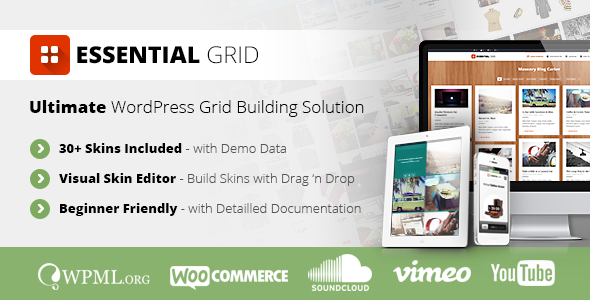 Essential Grid is a premium plugin for WordPress that allows you to display various content formats in a highly customizable grid. Possible applications range from portfolios, blogs, galleries, WooCommerce shops, price tables, services, product sliders, testimonials and anything else you can imagine.
- Super Easy to use for Beginners
- All-Purpose Usage
- Boxed, Full-Width, Full-Screen Layouts
- Adjustable Rows/Columns/Spacings
- Images, Youtube & Vimeo Video, HTML5 Self-Hosted Video, iFrame Content
- Content Sources: Post, Custom Post, Pages, WooCommerce, Gallery
- Various Animation Types & Preloaders
- 25+ Example Skins Included
- Responsive & Mobile Optimized
- Visual Skin Editor: Build and Customize own Skins easily
- Easily Import / Export Skins
- Include Custom Skins with Plugin Install, One-Click Installer
- Custom Metas: Additional Options for Posts
- Custom Post Based Skin Modifications: Special rules for Posts
- Extensive Documentation & Tutorial Videos
- Customizable Transition Speed (Individual / Global)
2. Visual Composer: Page Builder for WordPress
 Visual Composer is a drag and drop frontend and backend page builder that will save you tons of time working on our site content. You’ll be able to take full control of your WordPress site, and build any layout you can imagine – no programming knowledge required! Not only that, but with our frontend and backend editor you can now choose whether you want to work on backend or move your page building process to frontend and instantly see any changes you make.
Have you ever noticed how much time you waste fighting with [shortcodes]? No more trial and error with “shortcodes magic” – the Visual Composer plugin will take care of that for you.
This is the first WordPress page builder plugin that gives you full control over responsiveness. It has never been easier to control how your site – or individual parts of it – behave on different devices. Set your desired size of columns and offsets, and even hide specific blocks of elements, depending on the device. Check how your content looks on mobile or desktop with just one click – with our frontend and backend editor, this takes no time at all. So you don’t have to own a bunch of expensive devices to start designing sites that are perfectly responsive and optimized for them!
Add columns and rows, and choose from 40+ predefined elements (divided into logic groups) with a single click, using handy and intuitive UI. Then simply drag elements around to re-arrange them. Don’t have time for block re-arrange? Use one of our 40+ predefined layout templates, created by web design professionals, and build complete sections in seconds. Page building for WordPress has never been simpler! You can also use your creativity and skills to extend Visual Composer with your own unique elements, using our developer API.
Visual Composer is the #1 Best Selling drag and drop frontend and backend page builder plugin, already powering 500k+ websites. Join now, and create beautiful WordPress websites in no time at all, with minimum effort, and – of course – no coding and [shortcodes].
Visual Composer is a drag and drop frontend and backend page builder that will save you tons of time working on our site content. You’ll be able to take full control of your WordPress site, and build any layout you can imagine – no programming knowledge required! Not only that, but with our frontend and backend editor you can now choose whether you want to work on backend or move your page building process to frontend and instantly see any changes you make.
Have you ever noticed how much time you waste fighting with [shortcodes]? No more trial and error with “shortcodes magic” – the Visual Composer plugin will take care of that for you.
This is the first WordPress page builder plugin that gives you full control over responsiveness. It has never been easier to control how your site – or individual parts of it – behave on different devices. Set your desired size of columns and offsets, and even hide specific blocks of elements, depending on the device. Check how your content looks on mobile or desktop with just one click – with our frontend and backend editor, this takes no time at all. So you don’t have to own a bunch of expensive devices to start designing sites that are perfectly responsive and optimized for them!
Add columns and rows, and choose from 40+ predefined elements (divided into logic groups) with a single click, using handy and intuitive UI. Then simply drag elements around to re-arrange them. Don’t have time for block re-arrange? Use one of our 40+ predefined layout templates, created by web design professionals, and build complete sections in seconds. Page building for WordPress has never been simpler! You can also use your creativity and skills to extend Visual Composer with your own unique elements, using our developer API.
Visual Composer is the #1 Best Selling drag and drop frontend and backend page builder plugin, already powering 500k+ websites. Join now, and create beautiful WordPress websites in no time at all, with minimum effort, and – of course – no coding and [shortcodes].
3. Foobar – WordPress Notification Bars
 The Foobar is a plugin for WordPress that allows you to add a highly customizable bar to the top of your blog or website. You can display different notifications on different pages and define a default bar that will display on all your pages. Tweets, RSS feeds, social profiles, custom HTML, you name it – Foobar can handle it!
Increase sales. Get more newsletter signups. Get more Twitter followers or Facebook likes. Whatever you goals are, Foobar can help you reach them. With over 30 options to customize, there is no limit to how your Foobar can look and function.
The Foobar is a plugin for WordPress that allows you to add a highly customizable bar to the top of your blog or website. You can display different notifications on different pages and define a default bar that will display on all your pages. Tweets, RSS feeds, social profiles, custom HTML, you name it – Foobar can handle it!
Increase sales. Get more newsletter signups. Get more Twitter followers or Facebook likes. Whatever you goals are, Foobar can help you reach them. With over 30 options to customize, there is no limit to how your Foobar can look and function.
4. Justified Image Grid – Premium WordPress Gallery
 This responsive WordPress gallery plugin aligns your thumbnails into a justified grid using jQuery, like Flickr and Google image search. Make your galleries stand out in an eye-catching and unique new way! Replace the standard WP galleries
as [justified_image_grid] with lots of new features and options. WordPress manages the galleries and this plugin will display them. Or alternatively you can load images from Facebook, Flickr or use NextGEN as an image manager/source. Unleash the power of image RSS Feeds and pull videos from Youtube or Vimeo and images from 500px, Pinterest, deviantART, Stumbleupon, Imgur, Tumblr, WordPress.com blogs and more! Or just make a responsive banner of Recent posts using their featured images! Also works with custom post types and custom taxonomies. Filter the thumbnails by tags or any taxonomy!
Control every aspect: row height, appearance, special effects like desaturation, color overlay with magnifier icon, borders, multiple captions, free and premium lightboxes, mouse activated animation… It’s easy to install and comes with 20 presets out of the box. The setup is a breeze with two admin areas: the plugin settings and the Shortcode Editor (you can edit your previously generated shortcodes!). 340 settings are spread over a tabbed interface in two admin areas for quick access. The settings are available to change on a per gallery basis, extending the global settings and presets. No coding skills are required. There is no need to remember shortcode attributes/values because of the Shortcode Editor that has examples and contextual help.
This responsive WordPress gallery plugin aligns your thumbnails into a justified grid using jQuery, like Flickr and Google image search. Make your galleries stand out in an eye-catching and unique new way! Replace the standard WP galleries
as [justified_image_grid] with lots of new features and options. WordPress manages the galleries and this plugin will display them. Or alternatively you can load images from Facebook, Flickr or use NextGEN as an image manager/source. Unleash the power of image RSS Feeds and pull videos from Youtube or Vimeo and images from 500px, Pinterest, deviantART, Stumbleupon, Imgur, Tumblr, WordPress.com blogs and more! Or just make a responsive banner of Recent posts using their featured images! Also works with custom post types and custom taxonomies. Filter the thumbnails by tags or any taxonomy!
Control every aspect: row height, appearance, special effects like desaturation, color overlay with magnifier icon, borders, multiple captions, free and premium lightboxes, mouse activated animation… It’s easy to install and comes with 20 presets out of the box. The setup is a breeze with two admin areas: the plugin settings and the Shortcode Editor (you can edit your previously generated shortcodes!). 340 settings are spread over a tabbed interface in two admin areas for quick access. The settings are available to change on a per gallery basis, extending the global settings and presets. No coding skills are required. There is no need to remember shortcode attributes/values because of the Shortcode Editor that has examples and contextual help.
5. LayerSlider Responsive WordPress Slider Plugin
 LayerSlider WP is a premium multi-purpose slider for creating image galleries, content sliders, and mind-blowing slideshows with must-see effects, even from your WordPress posts and pages.
It uses cutting edge technologies to provide the smoothest experience that’s possible, and it comes with more than 200 preset 2D and 3D slide transitions. It has a beautiful and easy-to-use admin interface with supporting modern features like drag n’drop WYSIWYG slider builder, real-time previews, timeline view, Google Fonts and transition builder for custom animations.
It’s device friendly by supporting responsive mode, multiple layouts, touch gestures on mobile devices, and uses techniques like lazy load and conditional script loading for optimal performance. You can add any content into sliders, including images, text, custom HTML, YouTube and Vimeo videos or HTML5 self-hosted multimedia contents. It’s also SEO friendly by allowing you to build semantic markup with custom attributes that search engines can index easily.
LayerSlider comes with 13 built-in skins, and it has tons of options to entirely customize the appearance and behavior of your sliders at the smallest detail.
LayerSlider WP is a premium multi-purpose slider for creating image galleries, content sliders, and mind-blowing slideshows with must-see effects, even from your WordPress posts and pages.
It uses cutting edge technologies to provide the smoothest experience that’s possible, and it comes with more than 200 preset 2D and 3D slide transitions. It has a beautiful and easy-to-use admin interface with supporting modern features like drag n’drop WYSIWYG slider builder, real-time previews, timeline view, Google Fonts and transition builder for custom animations.
It’s device friendly by supporting responsive mode, multiple layouts, touch gestures on mobile devices, and uses techniques like lazy load and conditional script loading for optimal performance. You can add any content into sliders, including images, text, custom HTML, YouTube and Vimeo videos or HTML5 self-hosted multimedia contents. It’s also SEO friendly by allowing you to build semantic markup with custom attributes that search engines can index easily.
LayerSlider comes with 13 built-in skins, and it has tons of options to entirely customize the appearance and behavior of your sliders at the smallest detail.
- Super smooth hardware accelerated CSS3 transitions with jQuery fallback
- Fully responsive & multiple layouts support
- High compatibility with many fallback features for old browsers
- Lazy loading images for better performance
- Unlimited number of layers with image, video, audio, text or custom HTML content
- Powerful API for more customization
- SEO friendly
- Multiple sliders can be added on the same page
- Included free slide transition gallery
- Very detailed documentation with examples
- Unlimited variations of usage (image slider, image slider with text, content slider, video gallery slider, mixed content slider, banner rotator, carousel, etc.)
- Free updates & support
2026 editorial refresh: what changed
This article has been refreshed for 2026 around WordPress plugins for client sites. The old version has been narrowed to fit TopTut’s current WordPress, themes, plugins, page-builder, and automation focus instead of sitting as a generic software post.
A concise agency/client-site plugin guide focused on backups, security, SEO, forms, performance, and maintenance.
How this fits a modern WordPress workflow
- Use the recommendation only if it improves publishing, design, speed, security, conversion, or maintenance.
- Check whether the plugin, theme, or service is actively maintained before installing it on a production site.
- Keep the stack simple: fewer reliable WordPress tools usually beat a large pile of overlapping plugins.
- Connect related decisions through internal links, such as page builder plugins, WordPress themes, and migration services.
Quick recommendation
If you are deciding whether to act on this topic now, use a simple test: will it make a WordPress site easier to build, faster to maintain, clearer for users, or safer to operate? If yes, it belongs in the stack. If it only adds another shiny feature, skip it until there is a real workflow need.
Is WordPress plugins for client sites still relevant in 2026?
Yes, when it supports a focused WordPress workflow. The useful version in 2026 is practical, maintained, performance-aware, and tied to a real publishing or business need.
What should I check before using this on a WordPress site?
Check active maintenance, compatibility with your theme and plugins, page speed impact, support history, documentation quality, and whether it solves a problem you actually have.
Should beginners start with free WordPress tools?
Usually yes. Free themes and plugins are enough to validate a workflow. Upgrade only when a paid tool saves time, improves reliability, or unlocks a feature you truly need.