WordPress Certification: 10 Ways To Get an Official WP Certificate

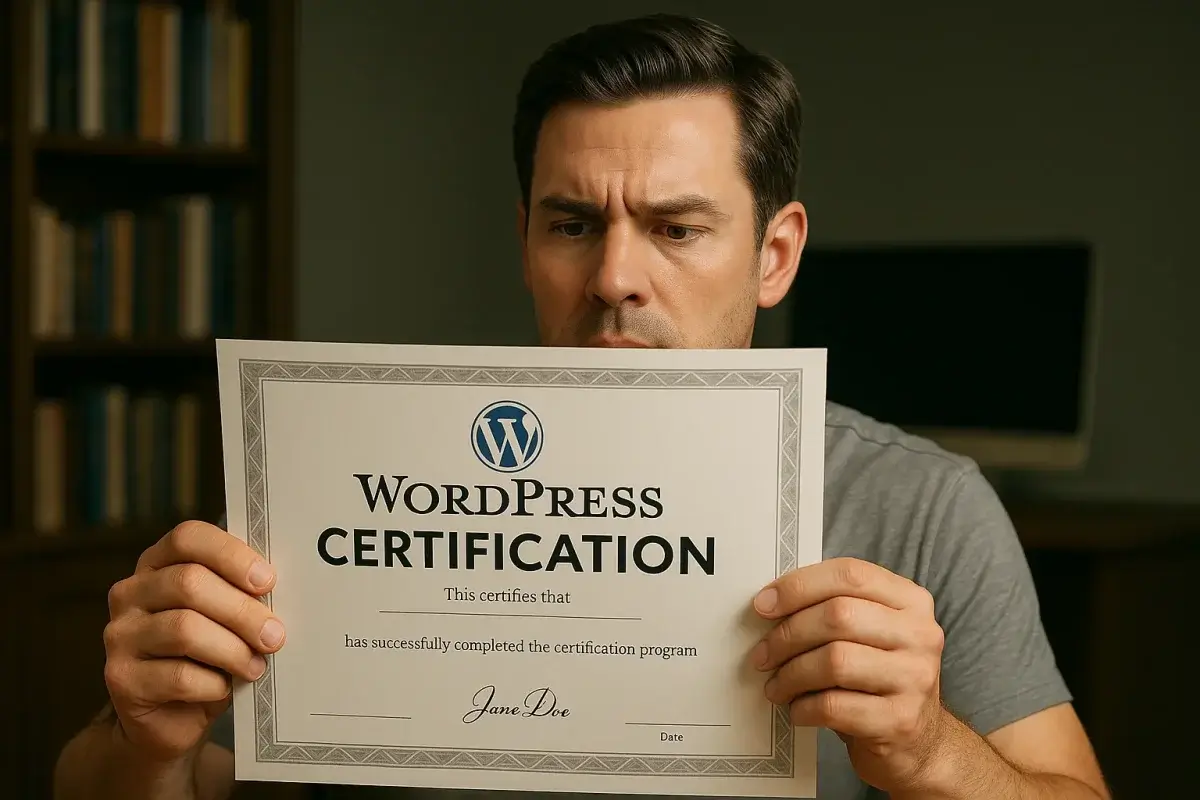
If you build on the web, you’ve felt it: clients and hiring managers want proof. They want signals that you can plan, build, secure, and ship WordPress sites that rank, convert, and scale. Many people go searching for an official WordPress certification—a clear, standardized credential they can earn and flash on LinkedIn.
Here’s the reality you need to know up front:
There is no official, vendor-run “WordPress Certification” from WordPress.org or Automattic.
WordPress is open-source. The project intentionally does not run a single paid exam or credential.

That doesn’t mean you can’t prove your WordPress expertise. In fact, in 2026, the most respected WordPress professionals stack together recognized credentials, public contributions, vetted marketplaces, and a visible body of work. This combination is far more persuasive than a single certificate—and it travels with you from project to project.
Below is a comprehensive, practical guide to help you craft a credible “WordPress certification” path—without pretending a non-existent exam exists. I’ll show you 12 proven ways (many with badges you can share) to demonstrate mastery, signal quality to clients, and stand out in a crowded field.
First, Why Bother? The Value of “Certification” Signals
A strong certification signal (even if it isn’t issued by WordPress.org) does three things for your career:
- De-risks hiring you. Busy buyers need shortcuts. Recognized credentials and public proof reduce perceived risk.
- Raises your ceiling. Enterprise clients and agencies shortlist vendors who can show process maturity, security literacy, accessibility competence, and modern dev practices.
- Accelerates trust. When your profile shows vetted networks, real contributions, and badges from known providers, negotiations start faster—and often higher.
Think of what follows as your WordPress Credibility Stack for 2026.
1) Master the Core, Then Prove It Publicly (Learn.WordPress + Contributions)

Start with the source. Learn.WordPress.org (from the official Training Team) offers workshops, lesson plans, tutorials, and courses spanning block editor/Gutenberg, theme building, plugin basics, accessibility, performance, security, and modern workflows. Complete the material, but don’t stop there.
- Apply what you learn:
- Submit at least one plugin to the WordPress.org plugin directory. Even a small utility (e.g., a block variation, a custom REST endpoint wrapper, or a migration helper) demonstrates code quality, documentation, and support responsiveness.
- Release a block theme or child theme that passes Theme Check and follows the Theme Handbook guidelines.
- Contribute a patch on Trac or a GitHub PR to a Make Team (Core, Docs, Training, Accessibility, Performance, Security). Your WordPress.org profile will show contribution badges—these are respected signals across the ecosystem.
Why this works: public, reviewable artifacts plus official profile badges are the closest thing the community has to “official recognition.”
2) Earn WooCommerce & Ecosystem Partner Validations (Vetted Networks)
While WooCommerce doesn’t issue a universal exam, the ecosystem recognizes vetted partner/marketplace credentials:
- Codeable Expert (rigorous vetting of WordPress developers for custom work)
- WooExperts (agency-level recognition for WooCommerce specialists)
- WordPress VIP Partner (for enterprise agencies working at scale)
- WP Engine Agency Partner, Kinsta Agency Partner, Pantheon Partner (hosting ecosystem validations)
These aren’t pay-to-play badges; they require references, portfolio review, and ongoing quality. They’re credible with buyers who purchase at higher ACVs.
3) Collect Cross-Discipline Certificates That WordPress Work Depends On
Hiring managers know WordPress is a composable stack: PHP + JS (React) + SQL + DevOps + SEO + accessibility + analytics. Pick the ones that map to your role and earn recognizable credentials:
- PHP: Zend Certified Engineer (ZCE) is still a respected PHP benchmark.
- JavaScript/React: completion certificates from serious programs (e.g., React specialization via Coursera/edX) matter—Gutenberg is React.
- MySQL/SQL: Oracle MySQL certifications or verifiable SQL programs demonstrate data literacy.
- Accessibility: IAAP CPACC (and WAS if you go deeper) is gold. Many WordPress contracts now require accessibility competence.
- Security: CompTIA Security+ for broad literacy; add Cloud/DevOps (AWS, GCP, Azure associate-level) for modern hosting pipelines.
- Analytics/Tagging: Google Analytics/Tag Manager skill badges (or privacy-friendly analytics platforms) help you own measurement.
- SEO: Yoast SEO Academy certificates, plus technical SEO coursework that covers Core Web Vitals, schema, and crawl budgets.
No single cert wins the job. The mix tells a story: “I can build, ship, secure, and measure a WordPress property properly.”
4) Ship Real Projects with Case-Study Depth (Your Strongest “Certificate”)
A portfolio isn’t just screenshots. Build case studies that show:
- Business context and goals
- Your role, stack, and constraints
- Architecture (custom post types, taxonomies, block patterns, ACF/fields strategy, multilingual, headless front ends)
- Performance outcomes (LCP/INP, page weight, caching strategy, image/CDN approach)
- SEO wins (indexation improvements, structured data, internal linking systems)
- Accessibility work (audits, fixes, automated tooling + manual testing approach)
- Security posture (least-privilege, update discipline, WAF, backups, secret management)
- Analytics and experimentation (event design, dashboards, tests)
This depth beats almost any certificate when a client is deciding who actually understands production realities.
5) Pass Vetted Freelance Marketplaces (Signal of Quality at the Point of Sale)
If you contract or consult, platform vetting doubles as certification because it’s tied to revenue:
- Top Rated / Expert-Vetted on Upwork
- Toptal acceptance for WordPress/JS/PHP
- Fiverr Pro for specific WordPress services
- High ratings on Clutch, G2, or GoodFirms with verified client reviews
These badges are hard to fake and map directly to buyer confidence.
6) Formal Web Dev Certificates via Universities / Bootcamps (When You Want Structure)
University-backed or intensive bootcamps that include modern WordPress in the stack (block themes, REST/GraphQL, decoupled front ends, testing, CI/CD) can be worth it. The value is higher when you emerge with capstone projects and instructor references you can cite.
Tip: prioritize programs that teach Git discipline, testing, accessibility, and performance—hallmarks of senior-level WordPress work in 2026.
7) Productize Your Knowledge: Publish a Plugin/Theme with Real Users
Shipping commercial work (on your site or marketplaces) forces you to operate like a vendor:
- Semver releases, changelogs
- Licensing, updates, support SLAs
- Telemetry/feedback loops
- Documentation and onboarding UX
A healthy user base is a credential. Include your usage numbers and support metrics in proposals.
8) Specialize and Badge Where Clients Actually Care
Generalists get hired; specialists get shortlisted. Examples:
- WooCommerce performance & complex catalogs (subscriptions, bundles, B2B)
- Multisite networks and editorial workflows for media
- Headless WordPress with Next.js/Nuxt/Remix/Astro and a WordPress back end
- Memberships/LMS (MemberPress, Paid Memberships Pro, LearnDash, LifterLMS) with gated content and SSO
- Enterprise publishing (WordPress VIP, decoupled editorial flows, newsroom tools)
Build a landing page for each specialty with narrow proof (benchmarks, diagrams, sample repos). This is the fastest path to premium work.
9) Document Standards: Your “Operating Manual” as a Public Asset
Create a public WordPress Delivery Playbook:
- Project kickoff and discovery templates
- Coding standards (PHPCS rulesets, ESLint/Prettier configs)
- Security and update policy
- Accessibility checklist and testing tools (axe, screen readers, keyboard traps)
- Performance budget and CI checks (Lighthouse CI, WebPageTest profiles)
- Deployment flow (staging, previews, backups, rollbacks)
- Content governance (roles/caps, reusable patterns, brand voice)
Publish it on your site or GitHub. When a buyer sees process maturity, you jump to the front of the line.
10) Get Recognized by Tooling You Already Use (Academies & Badges)
Many major WordPress-adjacent vendors run solid academies with shareable badges:
- WP Engine Academy (performance, security, builder workflows)
- Yoast SEO Academy (content + technical SEO, schema)
- HubSpot Academy (content strategy, email, CRM—even if your site is WordPress)
- Cloudflare and Fastly courses (edge caching, security)
- Vercel/Netlify for headless front ends
- Elementor, Beaver Builder, Breakdance, or Oxygen certifications if your business is builder-centric
Pick the ones aligned to your service mix; don’t collect random badges. The goal is a coherent signal, not a wall of logos.
11) Join and Present in the Community (Real Social Proof)
- Speak at WordCamps or local meetups (recordings become portfolio assets).
- Mentor in Five for the Future or contribute to a Make Team regularly.
- Write for respected WordPress publications or your own blog with technical, code-forward posts (people Google their problems; be the answer).
Community presence is the longest-lasting “certificate” you can earn.
12) Build a Verification-Friendly Presence (So Proof Is Easy to Trust)
- Keep a complete WordPress.org profile with contributions, plugins, themes.
- Maintain GitHub with public repos, issues, and PRs demonstrating collaboration.
- Use Credly or similar to centralize badges from recognized providers.
- Curate LinkedIn: featured case studies, recommendations from real clients, skills endorsed by peers.
- Add a /proof page on your site that links directly to every verifiable artifact.
You’re not just collecting achievements—you’re making verification effortless for evaluators.
Frequently Asked Questions
Is there an official WordPress certification?
No. WordPress.org does not sell or endorse an official certification exam. The community values public contribution, demonstrable work, and reputable third-party credentials.
So what should I actually do first?
Complete targeted courses on Learn.WordPress.org, ship a public plugin or block theme, and write a case study for a live project that improved performance, SEO, and accessibility. Then pursue one or two vetted network validations (e.g., Codeable) and an accessibility or security certificate.
How long does this take?
Expect 8–16 weeks to assemble a baseline stack (coursework + one public release + one strong case study + one badge). Deep specialization and partner programs can take longer—plan in quarters, not days.
What if I’m brand new?
Start with Learn.WordPress.org tutorials, build a small site for a real organization, and publish everything you learn. Iterate quickly; public momentum is your friend.
Do clients really care about badges?
Badges open doors; case studies and references close deals. Use both.
A 90-Day Action Plan You Can Start Today
Weeks 1–4
- Complete two Learn.WordPress courses (blocks + security/performance).
- Build and publish a simple plugin or block pattern to the .org directory.
- Write a short technical blog post about something you learned and shipped.
Weeks 5–8
- Convert a recent client site into a full case study (with metrics).
- Implement automated performance and accessibility checks on a project.
- Apply to one vetted marketplace (e.g., Codeable) or an agency partner program.
Weeks 9–12
- Earn one cross-discipline badge (IAAP CPACC for accessibility, ZCE for PHP, or a serious React course cert).
- Present at a meetup or record a 10-minute lightning talk on your specialty.
- Publish a /proof page linking every artifact for easy verification.
By the end of that sprint, you’ll have something far stronger than a single certificate: a credible, verifiable WordPress professional profile that compounds over time.
The Bottom Line
You don’t need a mythical “official WordPress Certification.” In 2026, the people getting hired and promoted can prove they ship real outcomes safely and efficiently. Do that by stacking:
- Core mastery + public contributions
- Vetted networks + recognized cross-discipline certificates
- Deep case studies + community presence
- A verification-friendly trail of proof
That combination is your certification—and it will carry more weight with serious clients than any single exam could.