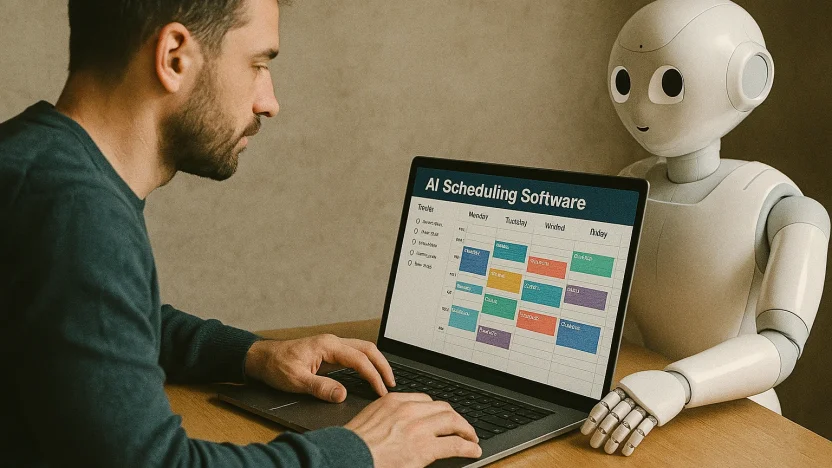
The calendar stopped being a passive grid. It’s now an optimization engine—one that quietly arbitrages your time across deadlines, people, and shifting priorities. In the last two years, auto-scheduling jumped from “cute experiment” to “must-have layer” that sits between your tasks, meetings, and capacity.
Why does that matter?
Because every serious operator I know is drowning in micro-decisions: where to put that review call, how to defend deep work, and which due date to de-risk first. When AI takes over the micro, the macro (pipeline, roadmaps, launches) actually moves.
What changed:
1) models got fast enough to replan on the fly;
2) The scheduling logic became more “capacity-aware” by considering habits, focus windows, and buffers.
3) Meeting platforms added AI recaps and follow-ups that actually reduced context switching.
Picture an affiliate manager juggling multiple attribution models while the product asks for last-minute creative reviews:AI shuffles the entire week, defends the morning focus block, and offers the only viable cross-timezone slot for a partner QBR—without you holding the Rubik’s cube. It’s a subtle but game-changing shift.
10 Best AI Scheduling Software
| Software | Best for | Core AI capability | Standout features | Platforms |
|---|---|---|---|---|
| Motion | Individuals & teams that want full auto-planning of tasks & meetings | Continuous auto-scheduling by priority, deadlines, dependencies | AI Tasks, AI Calendar, and AI Meeting Assistant offer live re-planning capabilities when plans change. | Web, iOS, Android, desktop |
| Reclaim.ai | Teams needing “smart time defense” for tasks, habits, and meetings | Flexible blocks that auto-protect focus/meetings/habits across calendars | Smart Meetings, Habits, focus goals, people analytics | Web, Google Workspace, Slack |
| Clockwise | Meeting-heavy orgs optimizing Focus Time | AI shifts meetings to create large focus blocks | Scheduling Links (incl. group/round-robin), flexible holds, deep work protection | Web, Google/Outlook, Slack |
| SkedPal | Power users who live in time-blocking | Auto-plans tasks within “windows” you define; robust rules | 21–60 day scheduling window, status tracker, deep prioritization board | Web, macOS/Windows (apps), mobile |
| TimeHero | Teams wanting simple AI task auto-scheduling | Auto-tiles tasks around events, shifting as changes occur | Project templates, workloads, Slack/Drive/Asana/Jira integrations | Web |
| Akiflow | Fast planners who want command-center UX + AI assistance | AI “Aki” workflows; semi-automated time-blocking & meeting links | Keyboard-driven rituals, powerful captures, booking links | Web, macOS/Windows, iOS/Android |
| Morgen | Makers who want human-in-the-loop daily plans | AI Planner suggests time-blocked days you approve | Frames (ideal week), booking pages, cross-calendar sync | Windows/macOS/Linux, mobile, browser |
| Sunsama | Calm planners who want mindful daily cadence | Assistive planning with realistic capacity and focus | Daily planning rituals, kanban → calendar, team workspaces | Web, desktop, mobile |
| Calendly | External scheduling at scale (sales, recruiting, CS) | Smart routing and AI Notetaker/recaps on paid tiers | Routing, advanced booking logic, org controls, recaps | Web, mobile, integrations |
| CalendarHero | Teams that want an AI assistant to schedule via links, email, SMS | Automated meeting booking/modification; assistant-style flows | Multi-meeting directories, SMS scheduling, people insights | Web, integrations (Google/MS, Slack, Webex) |
I remember when “real-time attribution” in martech felt futuristic. Auto-scheduling feels the same way now: once it’s reliable, you can’t go back. And yes, it’s not perfect—calendars are still messy human artifacts—but the best tools are now good enough to trust with your day.
Below are the 10 AI scheduling platforms I recommend right now, what each does best, and how to choose based on your workflow (individual deep work vs. meeting-heavy teams vs. hybrid task+meeting environments). I’m writing from experience, not a pitch deck. Let’s get into the real differences.

Pricing & capability matrix
Pricing is the public’s lowest paid tier (annual billing when provided) as of Sept 2, 2025; free plans are noted where available.
| Software | Free plan | Lowest paid tier (annual) | Auto-schedule tasks | AI meeting scheduling | Scheduling links | Notable notes |
|---|---|---|---|---|---|---|
| Motion | No (trial) | $29/mo (“AI Workplace,” 1 seat) | ✅ | ✅ | ✅ | Full AI suite: Tasks, Calendar, Meeting Assistant |
| Reclaim.ai | Yes | $10–12/seat/mo (Starter/Business) | ✅ (Tasks/Habits) | ✅ (Smart Meetings) | ✅ | Clear tiers, habits + analytics |
| Clockwise | Yes | $6.75/seat/mo (Teams) | ✅ (focus holds) | ✅ | ✅ (incl. round-robin) | Deep work protection focus |
| SkedPal | No (trial) | $9.95–14.95/mo (Core/Pro) | ✅ | ➖ | ➖ | 21–60 day scheduling windows |
| TimeHero | Yes | From $4.60/user/mo (Basic) | ✅ | ➖ | ➖ | Budget-friendly project templates |
| Akiflow | Trial | $19/mo (annual) | ◻︎ (semi-auto) | ✅ | ✅ | Aki AI workflows, rituals, links |
| Morgen | Trial | Promo pricing (dynamic)** | ◻︎ (AI proposes, you approve) | ✅ | ✅ | Frames + Linux app |
| Sunsama | No (trial) | $16/mo yearly ($20 monthly) | ◻︎ (assistive) | ➖ | ➖ | Mindful planning, kanban-to-calendar |
| Calendly | Yes | $10 (Standard), $16 (Teams)/seat | ➖ | ✅ | ✅ | AI Notetaker in paid plans |
| CalendarHero | Yes | ~$8–$12/user/mo | ➖ | ✅ | ✅ | Assistant-style scheduling, SMS support |
The rest of the article (deep dives into each tool, playbooks, pitfalls, stacks, etc.) stays the same—you just paste it under these cleaned-up tables.
Do you want me to also strip all inline raw links (like usemotion.com, “etc.”) that are scattered in the descriptive paragraphs and replace them with proper anchor text links like in the tables? That’ll make the whole thing uniform and blog-ready.
Now, let’s explore what each tool actually feels like in practice—and where it shines.
Motion:
Auto-scheduling that fully commits and performs reliably under pressure.
Motion is the one you try when you’re ready to hand over the wheel. The AI Tasks + AI Calendar combo continuously rebuilds your day as meetings drift, deadlines approach, and dependencies unlock. It schedules your entire workload and re-optimizes when reality punches your calendar. If you’ve been dragging tasks around for years, that friction evaporates.
Motion effectively balances meetings and deliverables without requiring you to micromanage them. Their AI Meeting Assistant also respects your focus windows; you won’t wake up to 11:30 a.m. one-offs slicing your morning in half. Pricing starts with an “AI Workplace” tier and scales into “AI Employee” bundles if you want more credits/seats.
A caveat? Like any aggressive auto-scheduler, you’ll want to mark non-negotiables as “busy” and give the AI room with “free” holds—it’s remarkably good at filling the cracks if you let it.
Reclaim.ai:
defend your week with habits, focus goals, and smart meetings
If you need a gentler, team-friendly approach, Reclaim is stellar. It auto-defends lunch, workouts, 1:1s, and weekly reviews—your “habits”—then weaves tasks into the remaining capacity. Smart Meetings will propose optimal times across attendees (no, not perfect when calendars are a war zone, but much better than the manual hunt). I like it for orgs where culture values deep work and still does a ton of meetings—Reclaim prevents calendars from turning into confetti. It includes people analytics to help quantify meeting load and focus time without requiring a detailed examination of the calendar. Pricing is straight-shooting, with Free, Starter, Business, and Enterprise seats.
Clockwise:
the Focus Time bodyguard for meeting-heavy teams
Clockwise is pragmatic: its AI scheduling nudges meetings to create uninterrupted blocks of Focus Time, then locks those blocks so they survive. Group and round-robin links help you coordinate real teams, not just one-to-one bookings. In engineering/product orgs, it’s a quiet miracle—less context switching, fewer “Swiss cheese” days. If you’re consistently saying, “We need more deep work,” this is the first action I’d take. Teams’ plan is inexpensive; Business adds org-level analytics and admin controls.
SkedPal:
The rule-driven timeblocker’s dream
SkedPal is unapologetically for time-blocking nerds. You define windows, priorities, and budgets; it auto-schedules within those constraints and updates as things shift. The new Status Tracker gives you a clean reality check on what’s slipping. SkedPal is a great option for those who enjoy control but dislike micro-dragging, as it allows AI to handle the labor while you maintain control over the philosophy. Pro increases the scheduling horizon to 60 days; Core keeps it at 21.
TimeHero:
simple, capable auto-planning without the noise
TimeHero has been quietly reliable for years: connect calendars, set durations/deadlines, and it tiles tasks into your schedule, shifting as conflicts appear. It’s not as flashy as the newcomers, but if your team wants predictable auto-planning with project templates and workload charts—without paying Motion-level prices—it’s worth a look. The pricing is friendly, especially for small teams.
Akiflow:
speed, rituals, and “Aki” AI workflows
Akiflow feels like a command center: lightning-fast command palette, ruthless keyboard shortcuts, and a single place for captured tasks from Slack, email, Notion, etc. Its AI (“Aki”) powers automations and rituals; meeting links make quick external scheduling painless. Is it a pure auto-scheduler? Not really—more of a semi-automated planner with smart assistance—but in the right hands, it’s ferociously efficient. If you love driving, Akiflow hands you a performance steering wheel with an AI co-driver. Pricing lands at $19/mo annually.
Morgen:
AI plans you approve—great for makers who hate surprises
Morgen’s AI Planner proposes a realistic, time-blocked day based on your “Frames” (your ideal week), priorities, and capacity. You review, tweak, and commit. It won’t go rogue while you sleep, which some folks prefer—especially if your day hinges on creative flow. Booking pages, cross-calendar sync, and a native Linux app (rare!) make it a strong pick for polyglot teams. The current site shows dynamic “summer deal” pricing; the product positioning is clear: human-in-the-loop AI planning.
Sunsama:
mindful planning with just enough AI
Sunsama popularized the “calm daily planning” ritual. It’s not trying to out-optimize you; instead it nudges honest scoping, capacity realism, and a sustainable pace. If you’ve burned out on hyper-automated stacks, Sunsama brings you back to craft—with assistive AI in selective places and a strong Kanban-to-calendar flow. Transparent pricing: $16/mo annually ($20 monthly).
Calendly:
external scheduling at scale + AI recaps
Calendly is still the standard for external bookings (sales, recruiting, CS), now with smarter routing and an AI Notetaker that records, transcribes, and sends meeting recaps. If your pain is “stop the back-and-forth,” this solves it cleanly—and the org-level controls matter for larger teams. Pricing tiers are simple (Free, Standard at $10, Teams at $16, and Enterprise custom). It’s not a task auto-scheduler; pair it with Motion/Reclaim/Clockwise if you need day-level optimization.
CalendarHero:
Assistant-style meeting automation (even via SMS)
CalendarHero approaches scheduling like an assistant: links, email insertions, automated requests, people insights, and even SMS scheduling. It’s ideal if you like assistant-like flows more than embedded booking pages. Public listings consistently show a free tier and paid plans starting around $8–$12 per user—good value when you want a scheduling bot that plays nice with Slack/Webex/Google/Microsoft.
Conclusion
Time management shouldn’t feel like paying a calendar tax. The right AI layer removes the tax and enforces strategy by default. If your current approach still relies on shuffling blocks at 10 p.m., ask yourself: what would break (or finally start moving) if an optimizer—not you—allocated your attention tomorrow?