Best AI Agents for Automating QAWorkflows

Writing and maintaining test scripts takes more time than actually testing. Every UI change breaks a locator. Every sprint adds new tests nobody has time to write properly.
AI agents for QA solve that specific problem. Instead of running a fixed script, an agent can look at your app, figure out what to test, write the test, run it, and fix it when something changes – without a person rewriting it every time.
In this guide, we cover the best AI agents for automating QA workflows – what each one actually does well, what they can automate, and how to choose the right one for your needs.
What Are AI Agents for QA?
An AI agent for QA is software that can test your app the way a person would – by exploring it, deciding what needs testing, writing the test, running it, and fixing it when something changes. You give it a goal, not a defined script.
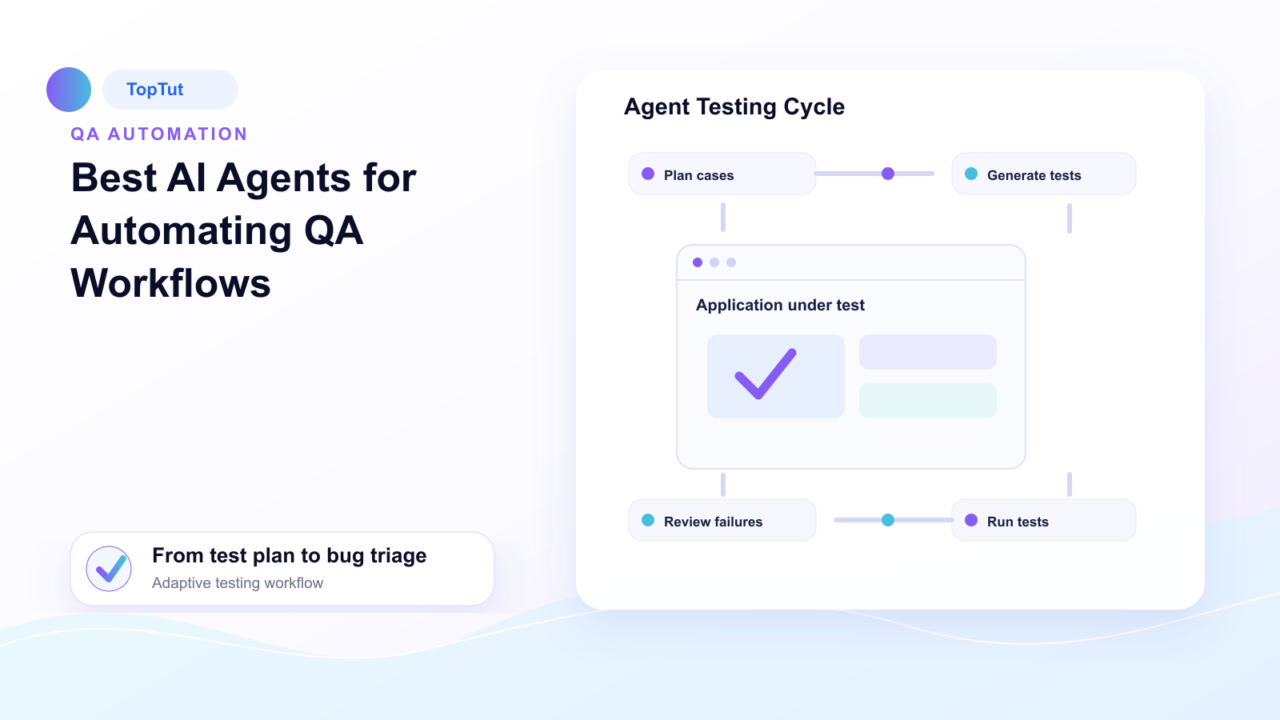
The agent plans what to test, generates the tests, runs them, interprets results, and heals broken tests – all without a human in the loop for each step. Rather than following a rigid, pre-written script, these agents understand intent, adapt to UI changes, and dynamically decide how to navigate an application to surface bugs.
Depending on the task, an agent can autonomously analyze a code change, generate the required test cases, execute them across environments, investigate why a run failed, and even open a structured bug report. Instead of waiting for step-by-step human instructions, it carries the entire workflow forward until the task is complete.
Best AI Agents for Automating QA Workflows
Every AI agent approaches test automation differently, with each one built to automate a different part of the QA workflow. The tools below represent some of the best AI agents available today.
TestMu AI (KaneAI)
KaneAI is TestMu AI’s native testing agent that lets teams plan, author, and maintain tests using plain English. You describe what you want to test – a sign-up flow, checkout process, or a specific user journey – and KaneAI generates the test, runs it, and updates it when something changes.
It supports web, mobile, API, database, network, and accessibility testing. Instead of writing test cases from scratch, you can upload a Jira ticket, PRD, screenshot, or spreadsheet, and KaneAI generates structured test cases automatically.
KaneAI also fits naturally into existing development workflows. For example, you can comment “@KaneAI Validate this PR” on a GitHub pull request. The agent will read the code diff, generate relevant test cases, run them across browsers and devices, and post results back in the same thread – without requiring context switching.
Key features:
- Generate executable tests from plain English.
- Run tests up to 70% faster across 10,000+ real devices with HyperExecute.
- Automatically capture failures, draft bug reports, and assign them to the right owner.
- Include visual regression testing and accessibility checks in every test run.
- Enterprise-ready with SSO, RBAC, audit logs, and compliance controls built in.
Best for: Teams that want to automate test creation, execution, and bug triage while reducing the effort required to maintain automated tests.
QA Wolf
QA Wolf combines AI with a managed testing service to help you build and maintain end-to-end test suites.
Behind the scenes, multiple AI agents handle different parts of this process – from planning test scenarios to generating Playwright or Appium tests and checking that they work before they’re added to the suite.
When a test fails, an AI agent investigates first, and a human QA engineer reviews the findings before it gets reported to you as a bug.
Key features:
- Generates Playwright code for web and Appium code for mobile (fully exportable).
- When a test breaks, the AI reproduces the failure, diagnoses the cause, rewrites the code, and validates the fix.
- Runs your full test suite in parallel, triggered automatically on every deploy.
- Guarantees 80% automated end-to-end test coverage within four months.
- Supports API calls, database setup, and mocked dependencies within test workflows.
Best for: Teams that want AI-assisted test automation without managing test maintenance themselves.
Katalon
Katalon is an all-in-one test automation platform covering web, mobile, API, and desktop testing. It’s been around for years and has built a reputation for being accessible to both developers and non-technical testers.
Its AI layer includes self-healing execution, AI-generated test suggestions based on application changes, and a visual editor for writing tests without code.
When a UI locator breaks, Katalon first tries alternative locator strategies to recover a failed test. If that doesn’t work, an AI model analyzes the page source, screenshots, and accessibility tree to identify the correct element. You review each suggested fix before it’s applied.
Key features:
- Supports web, mobile, API, and desktop testing from a single platform.
- Turns a PRD, BRD, or user story into a structured test plan.
- Files bug reports directly to Jira or Azure DevOps after a failed run.
- Groups related failures by root cause instead of showing individual error logs.
Best for: QA teams that need broad test coverage across legacy and modern platforms without requiring every team member to learn complex scripting frameworks.
Octomind
Octomind is a testing platform built for fast-moving SaaS teams that don’t have a dedicated QA engineer. It uses AI agents to automatically discover critical user flows in your web app and generate Playwright test cases for them.
Its self-healing feature, called Auto-fix, kicks in when a test fails. If the failure is caused by a UI change like a moved element or renamed button, the AI updates the test automatically. If it’s caused by an actual bug, it flags the failure for human review instead of silently fixing it.
- Generates standard Playwright code you can review, edit, and run independently.
- Categorizes every failure with a plain-language explanation – app bug, selector change, slow page load, broken dependency, or flaky behavior.
- Runs all tests in parallel on Octomind’s cloud infrastructure, with suites completing in 20 minutes or less regardless of size.
- SOC-2 compliant, and tests can run against private apps behind a firewall.
Best for: Early-stage and fast-growing SaaS teams that want AI-generated, fully portable Playwright tests without hiring a dedicated QA engineer.
QA.tech
QA.tech’s agents test your application visually, the way an actual person would. Agents work toward goals instead of fixed steps, so tests adapt automatically as your product changes, instead of breaking every time the UI changes.
You describe the workflow, edge cases, and business rules once in plain language. The agents use that context on every test run. Connect a GitHub repository, and QA.tech automatically picks up each pull request, runs tests against the preview deployment, and returns failure reports with screenshots and explanations before the code is merged.
Key features:
- Tests adapt automatically through redesigns, refactors, and framework migrations without rewrites.
- Framework-agnostic – works across React, Vue, Angular, and native mobile applications.
- Eliminates the test maintenance queue by architecture, rather than just reducing it with self-healing.
Best for: Teams that want goal-based testing on every pull request without maintaining selector-based test suites.
Virtuoso QA
Virtuoso QA is an enterprise testing platform built around one core idea – you write tests in plain English, and the system handles the rest. A test step might read “Navigate to login page, enter the username, click login, verify dashboard displays” – and the platform translates that into executable steps automatically.
What sets it apart is how it handles app changes. When the application is refactored, Virtuoso QA doesn’t wait for a test to break and then fix it. It detects the change, understands what the test was actually checking, and adapts at roughly 95% accuracy without human intervention.
Key features:
- Live Authoring lets tests run as you write them, so you see results immediately instead of writing blind.
- Produces step-by-step evidence with screenshots, video, and traceability links on every run; useful for audit requirements without extra documentation work.
- Runs across 2,000+ OS, browser, and device configurations on a managed cloud grid, no local infrastructure needed.
- Integrates with Jira, Jenkins, TestRail, GitHub, and Azure DevOps.
Best for: Enterprise teams that need large-scale test automation with built-in traceability and audit support.
Autify
Autify Nexus is built natively on Playwright, which makes it stand out from platforms that lock you into a proprietary engine. Tests generated by AI or recorded manually can both be exported as editable Playwright scripts.
Genesis AI is the part that does the heavy lifting upfront – it turns product requirements or PRDs directly into executable test cases, cutting down the manual effort needed to get meaningful coverage. When a locator breaks, Fix with AI flags the failure and offers an alternative locator instead of making you track it down manually.
Key features:
- Generates Playwright scripts and no-code steps from plain English input.
- Switch freely between low-code and full-code workflows; pick whichever fits the test.
- Runs locally, on-prem, or in the cloud, useful for teams with strict data privacy requirements.
- Enterprise-grade encryption and RBAC built in for secure, large-scale environments.
Best for: Teams that want AI-assisted test generation while staying on standard, portable Playwright code.
How to Choose the Right AI Agent for QA?
Every AI agent can automate testing in some form or other, but they don’t necessarily solve the same problems. Before choosing one, think about where you spend your most time currently. The right tool should remove that exact bottleneck.
Below are a few questions you should consider when selecting a tool:
How much autonomy do you want
Some platforms help you create and maintain tests from natural language, while others take a more autonomous approach by planning and executing tests with minimal input. Choose the level of control your team is comfortable with.
Who owns the test code
Some tools generate portable Playwright code that stays in your repository. Others keep test logic inside their own platform. If long-term flexibility matters, check how much control you’ll have over the tests after they’re created.
Does it support your testing stack
Not every platform covers the same areas. Make sure it supports the technologies your team relies on, whether that’s web, mobile, APIs, desktop applications, or accessibility testing.
How much maintenance does it reduce
Applications change constantly. Look beyond self-healing locators and understand how the platform handles UI changes, refactoring, and failed tests over time.
Does it meet your security and compliance requirements
If you’re testing enterprise applications, look for features such as SSO, role-based access control, audit logs, and deployment options that align with your organization’s security policies.
Conclusion
There’s no single testing AI agent for QA – it depends on what’s actually slowing your team down. If maintenance is the problem, look at tools that handle it by design rather than just patching broken selectors. If bandwidth is the problem, a managed option might make more sense than adding another tool to learn.
For teams that want test creation, execution, and bug triage handled end-to-end without writing or maintaining scripts, TestMu AI’s KaneAI is worth starting with.