17 Best Content Marketing Tools for 2026: AI, SEO, Social, Email, Planning & Reporting

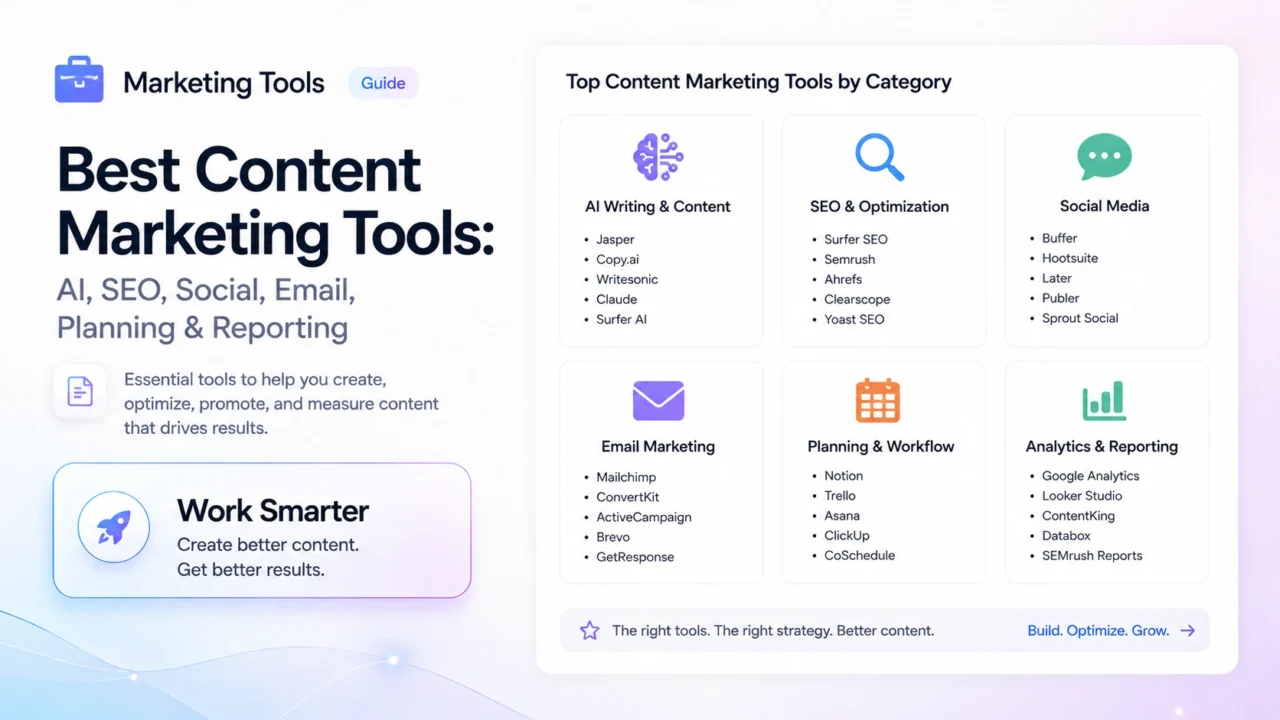
The best content marketing tools in 2026 are no longer just writing apps, schedulers, and keyword databases. A serious content stack now has to help you plan topics, research demand, create content, optimize for search and AI answers, distribute across channels, report results, and keep the whole team sane.
At Headline Consultants, we use content tools every day for client strategy, SEO research, editorial planning, social publishing, email campaigns, analytics, and AI-assisted production. This guide is not a random software list. It is a practical breakdown of the tools that actually belong in a modern content marketing workflow.
DIRECT ANSWER
The best content marketing tools for 2026 are Semrush for SEO strategy, ChatGPT and Claude for AI-assisted content workflows, Gemini for Google Workspace-heavy teams, Surfer SEO or Clearscope for content optimization, Metricool for social media planning, Trello or Notion for editorial workflow, Canva for visual assets, Mailchimp or Beehiiv for email, Reporting Ninja or Looker Studio for reporting, and Zapier, Make, or n8n for automation. The best stack depends on whether you are a solo creator, agency, SaaS company, ecommerce brand, or enterprise content team.
Best Content Marketing Tools in 2026: Quick Picks
| Category | Best Tool | Best For | Free Plan? | Main Limitation |
|---|---|---|---|---|
| SEO strategy | Semrush | Keyword research, competitor analysis, rankings, audits, AI visibility | Limited free access / trial options | Expensive for casual users |
| AI writing and strategy | ChatGPT | Briefs, outlines, content audits, schema, ideation, rewriting | Yes | Needs strong human editing and fact-checking |
| Long-form editorial AI | Claude | Thought leadership, synthesis, long drafts, nuanced editing | Limited free access | Usage limits can be restrictive |
| Google-native AI | Gemini | Google Workspace users, research, drafting, document workflows | Yes | Output quality depends heavily on prompt clarity |
| Content optimization | Surfer SEO | SEO briefs, NLP optimization, on-page scoring | No standard free plan | Can encourage over-optimization if used blindly |
| Social media management | Metricool | Scheduling, analytics, client reports, brand management | Yes | Advanced team features require paid plans |
| Project management | Trello | Simple editorial boards and visual workflows | Yes | Large teams may outgrow it |
| Content workspace | Notion | Knowledge bases, editorial calendars, documentation | Yes | Can become messy without structure |
| Visual content | Canva | Social graphics, blog visuals, lead magnets, quick brand assets | Yes | Templates can look generic if not customized |
| Email marketing | Mailchimp | Email campaigns, simple automation, small business newsletters | Yes | Advanced automation gets expensive |
| Newsletter growth | Beehiiv | Creator newsletters, referral programs, newsletter monetization | Yes | Less ideal for complex ecommerce automation |
| Analytics reporting | Reporting Ninja | Client marketing reports and white-label dashboards | No standard free plan | Less flexible than fully custom BI |
| Free dashboards | Looker Studio | GA4, Search Console, SEO and PPC dashboards | Yes | Setup takes patience |
| Automation | Zapier / Make / n8n | Connecting tools, automating repetitive content workflows | Yes, depending on tool | Complex workflows need careful maintenance |
How We Chose These Content Marketing Tools
There are hundreds of tools that can claim to help with content marketing. Most of them are either too narrow, too expensive for what they do, or impressive in demos but annoying in daily work.
For this guide, we focused on tools that meet at least three of these criteria:
- Daily usefulness: the tool solves a recurring content marketing problem, not a once-a-quarter edge case.
- Workflow fit: it helps real teams plan, produce, publish, promote, or report content faster.
- Data value: it improves decisions, not just aesthetics.
- AI readiness: it supports modern AI-assisted workflows without turning everything into generic AI sludge.
- Collaboration: it works for teams, clients, approvals, and handoffs.
- Reporting value: it helps prove what content is doing for traffic, leads, revenue, or retention.
- Reasonable learning curve: powerful is good; impossible to adopt is not.
The result is not a list of “cool apps.” It is a working content marketing stack.
1. Semrush — Best Overall SEO and Content Strategy Tool
Best for: keyword research, competitor analysis, content planning, backlink research, technical SEO audits, ranking tracking, and AI visibility monitoring.
Semrush remains one of the strongest all-in-one platforms for content teams that care about organic search. It helps you understand what people search for, which competitors own the SERP, where your content is weak, which pages need refreshing, and what opportunities are worth pursuing.
For content marketing, Semrush is useful because it connects strategy with execution. You can research topics, build keyword clusters, audit existing pages, monitor rankings, analyze competitors, and identify backlink gaps without jumping between five different tools.
| What Semrush Helps With | Why It Matters for Content Marketing |
|---|---|
| Keyword research | Find demand before creating content. |
| Keyword gap analysis | See what competitors rank for that you do not. |
| Position tracking | Measure whether content is gaining or losing visibility. |
| Site audits | Find technical issues that hold content back. |
| Backlink analysis | Identify authority gaps and link-building opportunities. |
| AI visibility tools | Monitor how your brand appears in AI-driven search experiences. |
Pros: extremely comprehensive, strong competitive research, useful for SEO agencies, excellent for content refresh planning.
Cons: pricing can be steep, the interface has a learning curve, and smaller teams may not use enough features to justify the full cost.
Our take: if organic search is a serious growth channel, Semrush is the closest thing to a content strategy command center. It is not cheap, but guessing is more expensive.
2. ChatGPT — Best AI Assistant for Content Marketing Workflows
Best for: content briefs, outlines, topic ideation, rewriting, content audits, schema markup, social repurposing, headline testing, and internal process documentation.
ChatGPT is one of the most flexible tools in a content marketer’s stack because it is not limited to one task. It can help you think, draft, restructure, compare, summarize, brainstorm, and turn messy notes into usable marketing assets.
The real value is not “write me a blog post.” That is beginner-level AI use. The real value is using ChatGPT as a workflow assistant:
- turn keyword exports into topic clusters;
- convert webinars into article outlines;
- rewrite technical content for a non-technical audience;
- build FAQ sections from Search Console queries;
- create comparison tables;
- draft schema markup;
- repurpose long posts into LinkedIn, email, and social snippets.
Pros: flexible, fast, strong for technical marketing tasks, useful across SEO, content, email, and automation.
Cons: output can become generic without strong prompts, facts must be checked, and the best results require a human editor with taste.
Our take: ChatGPT is not your content strategist. It is your very fast junior strategist, analyst, assistant editor, and schema intern rolled into one. Useful, but it still needs management.
3. Claude — Best AI Tool for Long-Form Editorial Thinking
Best for: long-form articles, thought leadership, editorial critique, synthesis, tone refinement, strategic narratives, and turning complex ideas into readable prose.
Claude is especially strong when you need nuance. It tends to handle long context, complex arguments, and editorial tone better than many AI writing tools. If your content is not just “SEO text” but actual positioning, analysis, or thought leadership, Claude deserves a place in the stack.
Where Claude shines is synthesis. Give it several messy sources, strategic notes, competitor angles, and a target audience, and it can help shape the material into something coherent and human-readable.
Pros: strong long-form writing, good editorial judgment, excellent for restructuring and sharpening arguments.
Cons: usage limits can interrupt deep work, web and tool access vary by plan and feature availability, and you still need to verify facts.
Our take: Claude is one of the best AI assistants for content marketers who care about voice and argument quality. It is less of a “quick output machine” and more of a thinking partner.
4. Gemini — Best AI Assistant for Google Workspace Teams
Best for: Google Docs, Gmail, Sheets, research-heavy workflows, brainstorming, and teams already living inside the Google ecosystem.
Gemini has become increasingly useful for content teams that rely heavily on Google Workspace. If your drafts, meetings, spreadsheets, and client notes already live in Google’s ecosystem, Gemini can feel more naturally integrated than a separate writing assistant.
For content marketing, Gemini works well for brainstorming campaign angles, summarizing research, drafting outlines, and turning rough notes into structured assets. It is especially useful when you want AI help without constantly moving content between tools.
Pros: strong fit for Google users, fast research and drafting support, useful for collaborative document workflows.
Cons: content still needs editing, and complex strategic output depends heavily on prompt quality and source material.
Our take: Gemini is a serious part of the modern AI content stack, especially for teams already using Google Docs, Sheets, Gmail, and Meet every day.
5. Surfer SEO — Best Content Optimization Tool
Best for: SEO content briefs, on-page optimization, content scoring, semantic coverage, and helping writers understand what a page needs to compete.
Surfer SEO is useful when you need to translate SERP analysis into a practical writing brief. It looks at ranking pages and gives suggestions around topics, terms, headings, structure, and content depth.
For teams publishing SEO-led content, this helps reduce guesswork. Writers can see whether a draft is too thin, missing important subtopics, or failing to cover the language that the SERP expects.
Pros: useful brief creation, clear content scoring, good for SEO writers and editors.
Cons: can encourage mechanical writing if treated as gospel. A high score does not automatically mean a good article.
Our take: Surfer is valuable when used as a diagnostic tool, not a creative director. Let it flag gaps; do not let it drain the soul from your writing.
6. Metricool — Best Social Media Planning and Analytics Tool
Best for: social scheduling, analytics, competitor monitoring, client reports, multi-brand management, and campaign visibility.
Metricool is our unified command center for social media planning. After comparing it with several other social media platforms, it stood out because it combines scheduling, analytics, competitor tracking, reporting, and brand management in one clean workflow.
For agencies, the “brands” structure is especially useful. It keeps client accounts organized and reduces the chaos of jumping between dashboards. The visual planner also makes content calendars easier to understand at a glance.
| Metricool Feature | Why We Use It |
|---|---|
| Visual planner | Plan social content clearly across channels. |
| Analytics dashboard | See what is working without spreadsheet gymnastics. |
| Competitor tracking | Monitor how other brands perform in the same niche. |
| Reports | Create client-ready performance summaries. |
| Multi-brand management | Keep agency clients separated and organized. |
Pros: intuitive, strong value for agencies, useful reporting, good all-in-one social workflow.
Cons: some advanced team and reporting features require paid plans, and social listening is not as deep as dedicated enterprise listening platforms.
Our take: Metricool is one of the best social media tools for content teams that want scheduling and analytics without needing a PhD in dashboard archaeology.
7. Trello — Best Simple Editorial Workflow Tool
Best for: editorial calendars, simple project management, content workflows, task assignment, and small-to-mid-sized content teams.
Trello is a visual project management tool built around boards, lists, and cards. It is not the most complex project management platform on the market, and that is exactly why many content teams still love it.
Content marketing involves a lot of moving parts: briefs, drafts, edits, approvals, design, publishing, promotion, and reporting. Trello makes that process visible without burying the team inside overbuilt software.
We use Trello-style workflows to track:
- blog post status;
- social campaign progress;
- client approvals;
- assigned writers and editors;
- publication deadlines;
- content refresh tasks.
Pros: easy to adopt, visual, flexible, affordable, low training burden.
Cons: large teams may need stronger dependencies, workload management, automation, or reporting than Trello provides out of the box.
Our take: Trello is still one of the best editorial workflow tools because people actually use it. That matters more than fancy features nobody touches.
8. Notion — Best Content Knowledge Base
Best for: content strategy documents, brand voice guides, SOPs, editorial calendars, idea banks, research libraries, and team documentation.
Notion works best as the brain of your content operation. If Trello is great for movement, Notion is great for memory. It stores the decisions, briefs, style rules, messaging notes, research, client preferences, templates, and strategic context that prevent a content team from reinventing the wheel every Monday.
A good Notion content workspace can include:
- brand voice guidelines;
- content pillars;
- keyword maps;
- campaign calendars;
- approved messaging;
- competitor research;
- content refresh logs;
- publishing checklists.
Pros: flexible, collaborative, useful for documentation, templates, and knowledge management.
Cons: if nobody owns the structure, Notion can become a beautifully designed junk drawer.
Our take: Notion is excellent when treated as a content operating system, not a dumping ground for half-finished notes.
9. Canva — Best Visual Content Tool for Marketers
Best for: social graphics, blog images, infographics, lead magnets, presentations, ad creatives, and fast branded assets.
Canva has become the default visual production tool for many content marketers because it removes the bottleneck between idea and asset. Not every graphic needs a full design team. Sometimes you just need a clean LinkedIn carousel, blog header, newsletter banner, or lead magnet cover by lunch.
For content teams, Canva is useful because it supports templates, brand kits, team collaboration, resizing, presentation design, and quick exports.
Pros: fast, accessible, strong templates, useful for non-designers, good team features.
Cons: template-heavy visuals can look generic if the team does not customize them. Canva makes design easier, not automatically better.
Our take: Canva is a practical content marketing tool because visual consistency matters. Just resist the temptation to look like every other beige SaaS carousel on LinkedIn.
10. Mailchimp — Best Email Marketing Tool for Small Teams
Best for: newsletters, basic automation, email campaigns, signup forms, audience segmentation, and small business email marketing.
Email marketing remains one of the highest-value content distribution channels. Social reach fluctuates. Search rankings move. Email gives you a direct relationship with the audience that chose to hear from you.
Mailchimp is still a strong choice for small and mid-sized teams because it is accessible, familiar, and practical. It helps teams design email campaigns, segment audiences, automate sequences, and track open rates, clicks, and conversions.
Pros: easy to use, strong templates, useful analytics, good for smaller teams and straightforward campaigns.
Cons: advanced automation and CRM-style segmentation can become expensive or limited compared with specialist tools.
Our take: Mailchimp remains a good email tool when your needs are clear: publish useful emails, segment sensibly, and measure response. If your email strategy becomes deeply behavioral or ecommerce-heavy, compare it with ActiveCampaign, Klaviyo, or HubSpot.
11. Beehiiv — Best Newsletter Growth Tool
Best for: creator newsletters, media brands, referral programs, newsletter monetization, and audience growth.
Beehiiv is built for newsletters as a growth channel, not just as an email-sending utility. It is especially useful if your content marketing strategy includes audience building, regular editorial publishing, referral loops, sponsorships, or newsletter-first monetization.
Pros: clean newsletter workflow, good growth features, referral tools, monetization options.
Cons: not the best fit for complex ecommerce automation or traditional CRM workflows.
Our take: if you think of email as a publication, Beehiiv is worth considering. If you think of email as CRM automation, Mailchimp, ActiveCampaign, HubSpot, or Klaviyo may fit better.
12. Reporting Ninja — Best Client Reporting Tool
Best for: agency reporting, multi-channel marketing dashboards, automated client reports, and branded performance summaries.
Reporting is where many content teams accidentally lose trust. They do the work, publish the content, improve performance, and then present results in a messy spreadsheet nobody wants to read.
Reporting Ninja helps aggregate data from marketing platforms and turn it into clean, branded, client-friendly reports. For agencies, this matters because reporting is not just documentation. It is proof of value.
Pros: clean client reporting, white-label options, useful automation, saves time.
Cons: less customizable than building your own dashboards from scratch.
Our take: Reporting Ninja is useful when you need consistent, professional reports without rebuilding the same dashboard every month like a cursed ritual.
13. Looker Studio — Best Free Reporting Dashboard
Best for: free dashboards, GA4 reports, Search Console reporting, SEO dashboards, campaign reporting, and custom marketing data views.
Looker Studio is one of the best free tools for content marketing reporting. It connects well with Google Analytics, Search Console, Google Ads, Sheets, and many third-party connectors. If you need a custom dashboard without paying for a reporting platform, Looker Studio is the obvious starting point.
Pros: free, flexible, strong Google ecosystem support, useful for SEO and content reporting.
Cons: setup can be fiddly, connector quality varies, and dashboards can become slow or confusing if badly built.
Our take: Looker Studio is powerful enough for many content teams, but someone needs to own the reporting logic. A dashboard nobody trusts is just a decorative spreadsheet.
14. Google Meet — Best Simple Client Collaboration Tool
Best for: client calls, team meetings, content planning sessions, screen sharing, interviews, and remote collaboration.
Google Meet is not glamorous, but it is reliable, simple, and easy for clients to use. In content marketing, that matters. Strategy sessions, interviews, approvals, campaign reviews, and editorial workshops all depend on low-friction communication.
The biggest advantage is simplicity: send a link, join from the browser, share the screen, talk through the work. No one wants a technical drama before a content planning call.
Pros: simple, accessible, integrates with Google Calendar, easy for clients.
Cons: advanced webinar and event features are limited compared with dedicated platforms.
Our take: for most content collaboration, boring reliability beats shiny complexity.
15. WordPress — Best Publishing CMS for Content Marketing
Best for: blogging, SEO publishing, editorial sites, resource hubs, landing pages, and scalable organic content programs.
WordPress is still one of the most important content marketing tools because publishing is not optional. You need a place where content can live, rank, convert, interlink, update, and compound over time.
For SEO-led content strategies, WordPress remains powerful because of its flexibility, plugin ecosystem, editorial workflows, schema options, and control over site architecture.
Pros: flexible, SEO-friendly, huge plugin ecosystem, strong ownership of content assets.
Cons: performance, security, and plugin bloat need active management.
Our take: WordPress is not just a CMS. For many content teams, it is the place where content turns from “campaign asset” into long-term intellectual property.
16. Zapier, Make, and n8n — Best Content Workflow Automation Tools
Best for: automating handoffs, connecting apps, updating editorial boards, sending alerts, syncing data, repurposing content, and reducing repetitive work.
Content marketing has a hidden enemy: tiny repetitive tasks. Moving ideas from a form into a board. Sending writers a brief. Updating a status. Creating a draft folder. Alerting the team when a post is published. Logging URLs. Pulling metrics into a report.
Zapier, Make, and n8n help automate those workflows. Which one you choose depends on your technical comfort:
| Automation Tool | Best For | Tradeoff |
|---|---|---|
| Zapier | Simple no-code automations and broad app support | Can get expensive at scale |
| Make | Visual workflows and more complex automations | Requires more setup thinking |
| n8n | Technical teams, self-hosting, advanced workflows | Less beginner-friendly |
Our take: automation is not about replacing marketers. It is about removing the stupid little handoffs that quietly eat 20% of the week.
17. Perplexity — Best AI Research Companion
Best for: quick research, source discovery, competitor checks, market summaries, and finding starting points for deeper content research.
Perplexity is useful for research-led content because it helps you explore topics with source trails. It is not a replacement for expert judgment, original reporting, or proper fact-checking, but it can speed up early-stage research dramatically.
Use it to discover angles, compare claims, find sources, and identify common questions before building a full article or campaign.
Pros: fast research, useful source discovery, helpful for early topic exploration.
Cons: sources still need verification, and summaries can miss nuance.
Our take: Perplexity is useful at the start of research, not the end. It helps you find trails. You still need to walk them.
Best Free Content Marketing Tools in 2026
If you are building a lean content stack, you do not need to pay for everything immediately. The smartest free stack usually combines planning, AI help, publishing, analytics, and basic design.
| Need | Free Tool to Start With | When to Upgrade |
|---|---|---|
| AI assistance | ChatGPT, Gemini, Claude free/limited tiers | When usage limits interrupt daily work. |
| SEO data | Google Search Console, GA4, limited Semrush/Ahrefs access | When you need competitor and keyword depth. |
| Project planning | Trello or Notion | When approvals, dependencies, or client workflows get complex. |
| Social scheduling | Metricool free plan, Buffer free plan | When you manage multiple brands or need deeper reporting. |
| Visual content | Canva free plan | When you need brand kits, premium assets, or team controls. |
| Mailchimp or Beehiiv free plans | When your list grows or automation becomes important. | |
| Reporting | Looker Studio | When you need polished white-label client reports. |
Best AI Content Marketing Tools in 2026
AI tools are now part of content marketing, but the winners are not the teams publishing the most AI-generated text. The winners are the teams using AI to make research, strategy, editing, and repurposing faster while keeping human judgment in charge.
| AI Tool | Best Use | Watchout |
|---|---|---|
| ChatGPT | Technical marketing tasks, briefs, schema, audits, rewriting, ideation | Can sound generic without strict prompts. |
| Claude | Long-form thinking, editorial work, synthesis, nuanced writing | Usage limits can disrupt long sessions. |
| Gemini | Google Workspace workflows, research, drafting, document help | Needs clear context for best results. |
| Perplexity | Research discovery and source finding | Do not treat summaries as final truth. |
| Jasper | Brand-controlled AI copy workflows | May be unnecessary if your team already uses general AI tools well. |
Important AI Note
AI content tools are excellent for speed, structure, and ideation. They are not a substitute for expertise, original examples, human editing, fact-checking, or brand judgment. If your AI workflow produces content that says everything and means nothing, the tool is not the problem. The workflow is.
Best Content Marketing Stack by Team Type
The “best” tool depends on your team. A solo creator, an agency, a SaaS company, and an ecommerce brand do not need the same stack.
| Team Type | Recommended Stack | Why It Works |
|---|---|---|
| Solo creator | ChatGPT + Canva + Beehiiv + Metricool + GA4 | Low cost, fast production, audience growth, basic analytics. |
| Small business | Semrush + WordPress + Mailchimp + Canva + Trello | Good mix of SEO, publishing, email, and workflow control. |
| Content agency | Semrush + Metricool + Trello/Notion + Reporting Ninja + ChatGPT + Canva | Covers strategy, production, social, client reporting, and AI support. |
| B2B SaaS team | Semrush + Ahrefs + Notion + HubSpot + Looker Studio + Claude/ChatGPT | Supports long buying cycles, SEO authority, CRM integration, and reporting. |
| SEO-led publisher | Semrush + Surfer SEO + WordPress + Looker Studio + Claude + Canva | Strong for topical authority, content optimization, and publishing velocity. |
| Social-first brand | Metricool + Canva + CapCut + ChatGPT + Mailchimp/Beehiiv | Optimized for social production, publishing, repurposing, and list-building. |
Tools We Tested But Would Not Put at the Center of Every Stack
Some tools are good but not universal. The mistake is not using them; the mistake is assuming every team needs them.
| Tool Type | Why It Can Help | Why We Would Be Careful |
|---|---|---|
| Enterprise social listening tools | Great for large brands and reputation monitoring. | Often overkill for smaller teams focused on publishing. |
| Full marketing suites | Strong when CRM, email, landing pages, and automation must live together. | Can be expensive and heavy for lean content teams. |
| AI-only writing platforms | Useful for controlled brand workflows and templated copy. | Often less flexible than ChatGPT, Claude, or Gemini. |
| Complex project management tools | Useful for large teams with dependencies and approvals. | Can slow down smaller teams that just need a clean editorial board. |
How to Choose the Right Content Marketing Tools
Before buying another tool, answer these questions honestly:
- Where is the bottleneck? Strategy, writing, design, publishing, distribution, reporting, or approvals?
- Who will own the tool? A tool with no owner becomes another forgotten login.
- Does it replace work or create more work? Some tools look productive but add admin.
- Can it integrate with your existing stack? Isolated tools create data silos.
- Will you still use it in six months? Daily usefulness beats demo sparkle.
- Does it improve decisions? Pretty dashboards are useless if they do not change action.
- Does it help prove ROI? Content marketing needs reporting discipline, not just production velocity.
The strongest content marketing stack is not the biggest one. It is the one where each tool has a job, an owner, and a measurable reason to exist.
The Bottom Line
The best content marketing tools for 2026 help teams move from random content production to a repeatable operating system. You need tools for strategy, AI assistance, SEO, writing, design, social media, email, publishing, automation, and reporting.
For most teams, the strongest starting stack is simple: Semrush for SEO strategy, ChatGPT or Claude for AI-assisted content work, Metricool for social media, Trello or Notion for planning, Canva for visuals, Mailchimp or Beehiiv for email, WordPress for publishing, and Looker Studio or Reporting Ninja for reporting.
After that, expand only when a real bottleneck appears. Do not buy tools to feel productive. Buy tools to remove friction, improve decisions, and publish better work more consistently.
Frequently Asked Questions
What are content marketing tools?
Content marketing tools are software platforms that help teams plan, create, optimize, publish, distribute, and measure content. Common categories include SEO tools, AI writing assistants, editorial calendars, social media schedulers, email marketing platforms, analytics dashboards, and automation tools.
What is the best content marketing tool in 2026?
For most SEO-led teams, Semrush is the best overall content marketing tool because it supports keyword research, competitor analysis, technical audits, rank tracking, and content planning. However, the best tool depends on your workflow. AI-heavy teams may rely more on ChatGPT, Claude, or Gemini, while social-first brands may get more daily value from Metricool and Canva.
What are the best free content marketing tools?
The best free content marketing tools include Google Search Console, Google Analytics 4, Looker Studio, Canva Free, Trello Free, Notion Free, Metricool Free, ChatGPT Free, Gemini Free, and limited free versions of tools like Mailchimp or Beehiiv. Free tools are enough to start, but growing teams usually need paid SEO, reporting, email, or automation features.
What is the best AI tool for content marketing?
ChatGPT, Claude, Gemini, and Perplexity are all useful for content marketing. ChatGPT is strong for flexible workflows, technical marketing, schema, and content audits. Claude is strong for long-form editorial thinking and synthesis. Gemini fits Google Workspace teams. Perplexity is useful for research discovery and source finding.
Which tools do content marketers use every day?
Content marketers commonly use SEO tools such as Semrush or Ahrefs, AI assistants such as ChatGPT or Claude, planning tools such as Trello or Notion, design tools such as Canva, social media tools such as Metricool, email tools such as Mailchimp or Beehiiv, and reporting tools such as Looker Studio or Reporting Ninja.
Is Semrush worth it for content marketing?
Semrush is worth it for teams that rely on organic search and need serious keyword research, competitor analysis, technical SEO audits, ranking tracking, content planning, and backlink insights. It may be too expensive for casual bloggers or teams that do not use SEO as a primary growth channel.
Do AI tools replace content marketers?
No. AI tools can speed up research, outlines, drafting, editing, repurposing, and reporting, but they do not replace strategy, expertise, original examples, editorial taste, brand judgment, or fact-checking. The strongest content teams use AI as an assistant, not as an unsupervised publisher.
What is the best content marketing stack for a small business?
A practical small business content marketing stack is Semrush or Google Search Console for SEO, ChatGPT or Gemini for AI assistance, Trello or Notion for planning, Canva for visuals, Mailchimp or Beehiiv for email, Metricool for social scheduling, WordPress for publishing, and Looker Studio for reporting.