I have been asked again and again to make some more tutorials for beginners, so today we are going to bake sweet cookies text effect in Photoshop and to make your life even easier, the free psd file is available for a download at the bottom of the post, so let see what we are going to do….
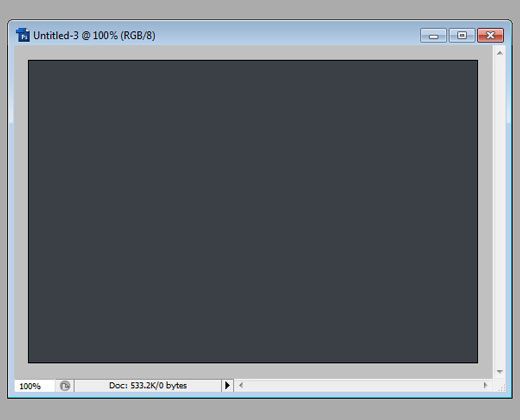
Begin with creating a new canvas, we used a rather small one but you can make it any size you wish. fill it with a solid dark color of your choice. In this tutorial, even light background will still look good but we prefer to present our bakery on a darker one.
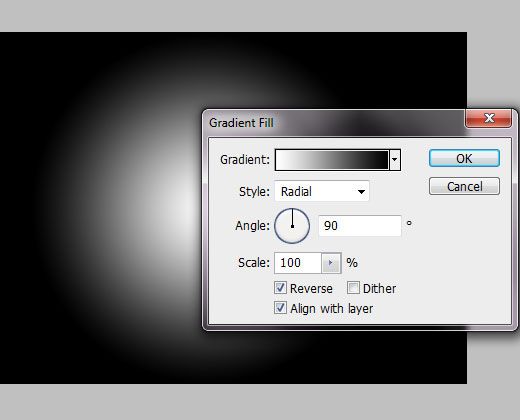
Click on a small button “Create new fill or adjustment layer” at the right bottom corner of your Photoshop and select Gradient Fill. Using Reversed Black and White fill with Radial style, apply the following settings:
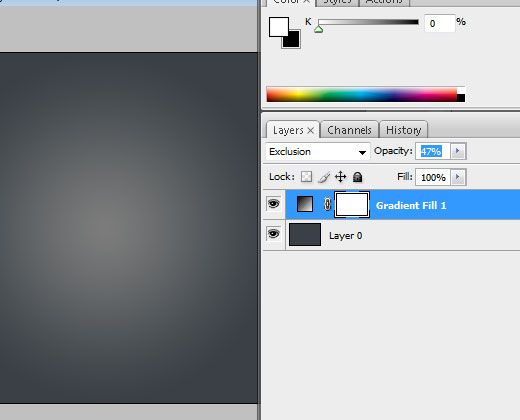
Then, set the blending mode to “Exclusion” and reduce it to 47% so that the light spot at the center won’t be that bright.
Now, using the typing tool, and a big font called “HP PSG”, type the word of your choice. We are uding a funky childish font but you can really choose anything you like.
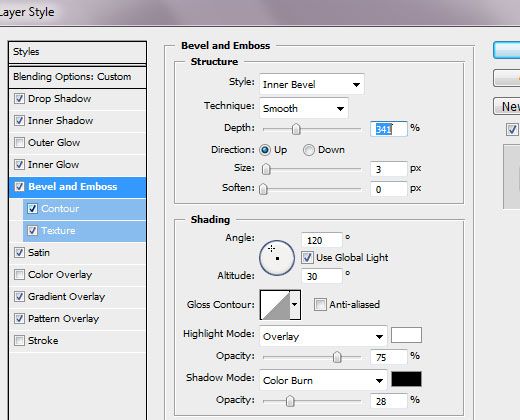
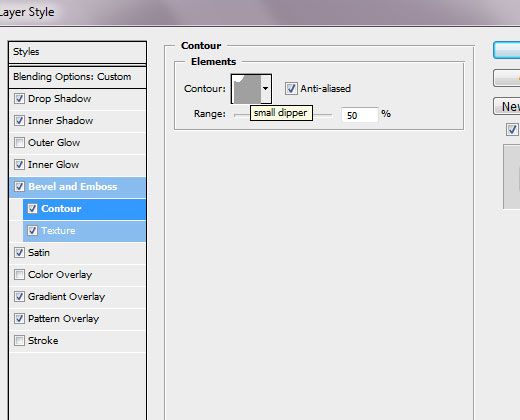
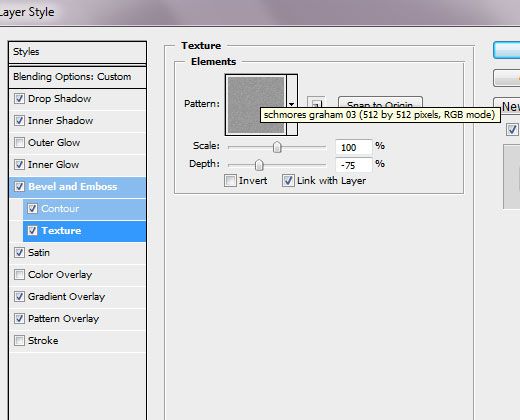
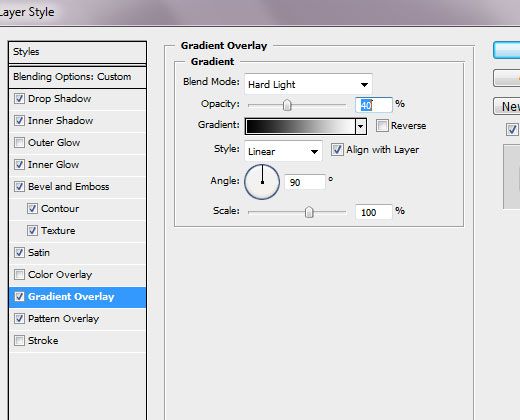
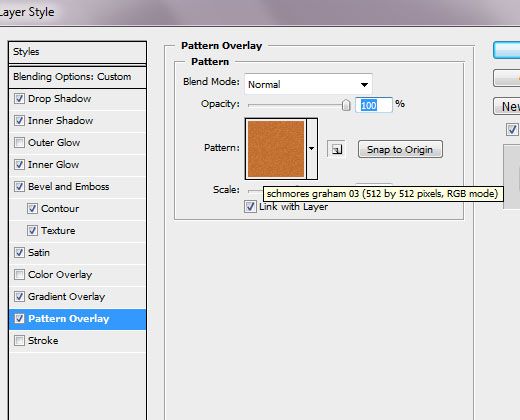
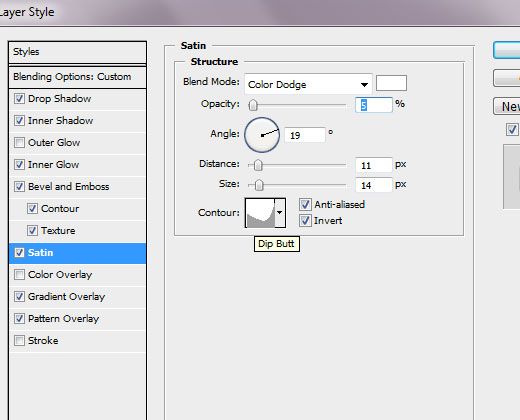
Start applying Layer Styles to your letters. Please pay close attention to the curves and bevels as they predominantly shape the look of our cookies.
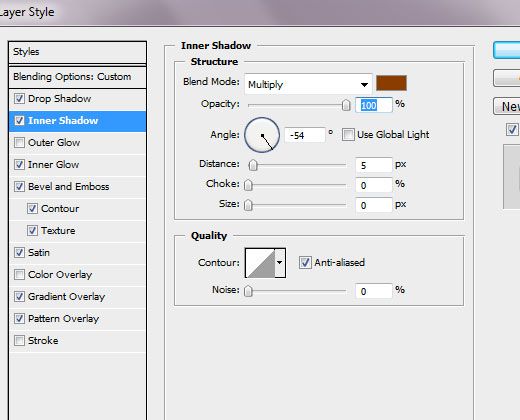
Using #893d00 color for Inner Shadow
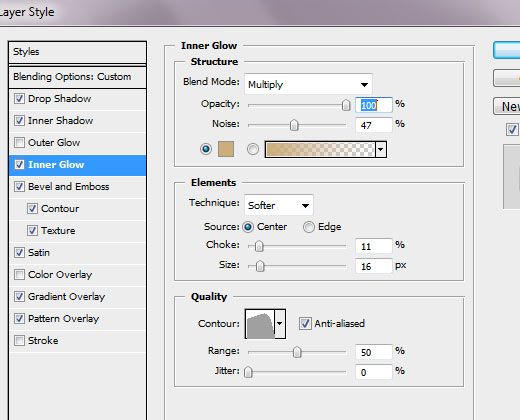
We used #cdad7a for inner glow as a solid color.
That’s it, now you can click save and if you like the result, save the layer styles so you can use them in the future. To spice up your presentation, add a cup of coffee or a few crumbles scattered around so make it look even more authentic. Bon Appetite! If you need to print brochure at UPrinting – please visit their website for a good deal.
[button link=”http://bit.ly/LZXunF”]Download The PSD – FREE![/button]
Lorelei has been an online entrepreneur, marketer and writer since 2006. Her biggest passion is WordPress, which is why she switched to being a full-time blogger 20 years ago and hasn’t looked back since. With so many years of experience behind her, she is an expert in copywriting, SEO, marketing and business strategies.

 Begin with creating a new canvas, we used a rather small one but you can make it any size you wish. fill it with a solid dark color of your choice. In this tutorial, even light background will still look good but we prefer to present our bakery on a darker one.
 Click on a small button “Create new fill or adjustment layer” at the right bottom corner of your Photoshop and select Gradient Fill. Using Reversed Black and White fill with Radial style, apply the following settings:
 Then, set the blending mode to “Exclusion” and reduce it to 47% so that the light spot at the center won’t be that bright.
 Now, using the typing tool, and a big font called “HP PSG”, type the word of your choice. We are uding a funky childish font but you can really choose anything you like.
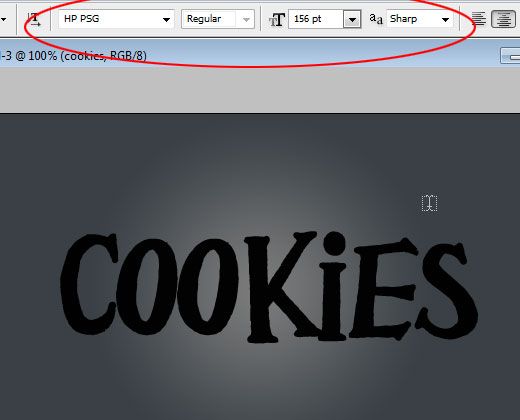 Start applying Layer Styles to your letters. Please pay close attention to the curves and bevels as they predominantly shape the look of our cookies.
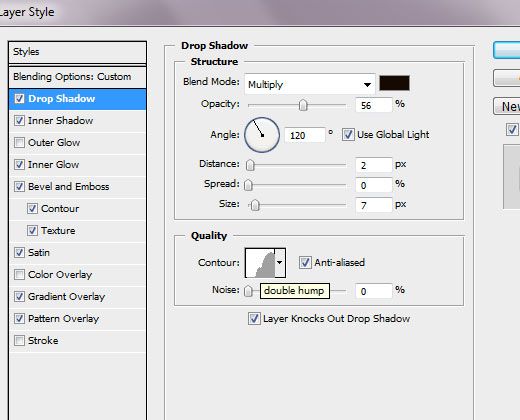 Using #893d00 color for Inner Shadow
 We used #cdad7a for inner glow as a solid color.
 That’s it, now you can click save and if you like the result, save the layer styles so you can use them in the future. To spice up your presentation, add a cup of coffee or a few crumbles scattered around so make it look even more authentic. Bon Appetite! If you need to print brochure at UPrinting – please visit their website for a good deal.